US VISA PHOTO GUIDE
Take a US visa photo with a smartphone
A practical smartphone workflow for lighting, camera height, distance from the wall, square crop, and avoiding selfie distortion.
Last checked: June 29, 2026
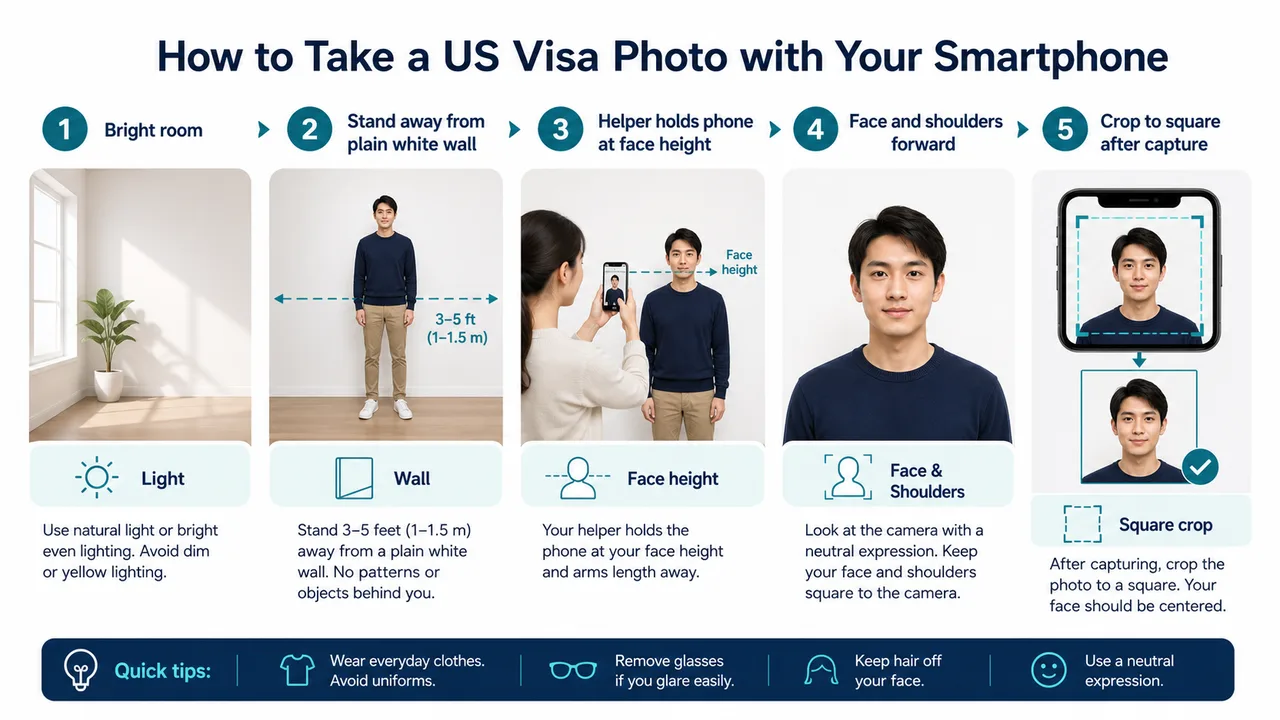
Quick answer
- Even light and a plain light wall.
- Camera at face height, avoid selfie distortion.
- Crop and export after shooting, do not change your appearance.
Practical smartphone workflow
For a US visa photo, use a bright room and a plain white or off-white wall. A helper taking the photo is usually safer than a close selfie because it reduces lens distortion.
Hold the phone around face height, keep the applicant facing forward, and leave enough space around the head and shoulders for a square crop.
- Move away from the wall to soften background shadows.
- Keep both shoulders level and face the camera.
- Take several shots before choosing one to crop.
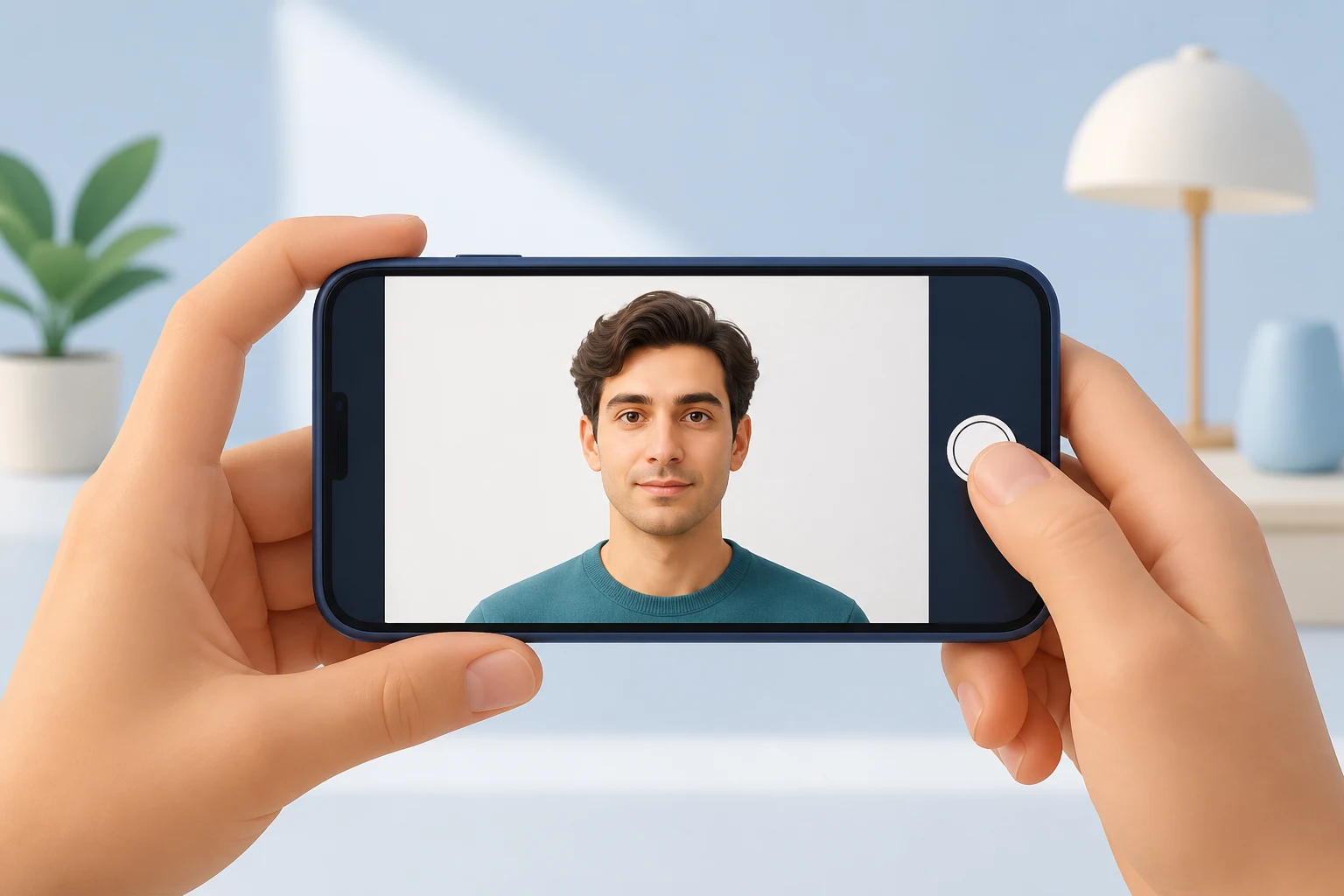
After the shot
After shooting, check that the image remains sharp at the final square size. Do not use filters, beauty modes, or edits that change facial features.
US visa photos are reviewed by the official online system, embassy, consulate, or other reviewing authority. A correctly prepared file does not guarantee acceptance.
Official requirement note
US visa photos are reviewed by the official online system, embassy, consulate, or other reviewing authority. A correctly prepared file does not guarantee acceptance.
Requirements and local procedures may change. Use Travel.State.Gov and the instructions for your exact application route as the final reference.
FAQ
Can I take a US visa photo with a phone selfie?
A close selfie can distort the face. Having someone else take the photo from face height, or using a timer from a comfortable distance, usually gives a more natural result.
Should I use filters or beauty modes?
No. Avoid edits that change facial features. Crop and export after shooting instead of altering your appearance.
Does a sharp phone photo guarantee acceptance?
No. Final acceptance is decided by the official system or reviewing authority, regardless of which device you used.
Official sources
- U.S. Department of State - U.S. Visa Photos Checked: 2026-06-29
- U.S. Department of State - Digital Image Requirements Checked: 2026-08-20
- U.S. Department of State - Photo Examples Checked: 2026-06-29
- U.S. Department of State - Photo Composition Template Checked: 2026-06-29
- U.S. Department of State - Photo Frequently Asked Questions Checked: 2026-06-29
- U.S. Department of State - DS-160 Frequently Asked Questions Checked: 2026-06-29
Requirements and local procedures may change. Use Travel.State.Gov and the instructions for your exact application route as the final reference.
Choose a guide
Create your photo in the browser
Prepare the photo for U.S. Visa (DS-160) directly in your smartphone or computer browser. Creating and reviewing are free.
What this tool creates
- the required face photo (for digital upload)
Prepare a smartphone photo for DS-160 Open the app page