US VISA PHOTO GUIDE
DS-160 JPEG upload photo
JPEG format, square pixels, HEIC conversion, file checks, compression, and what to confirm before uploading a photo to DS-160.
Last checked: June 29, 2026
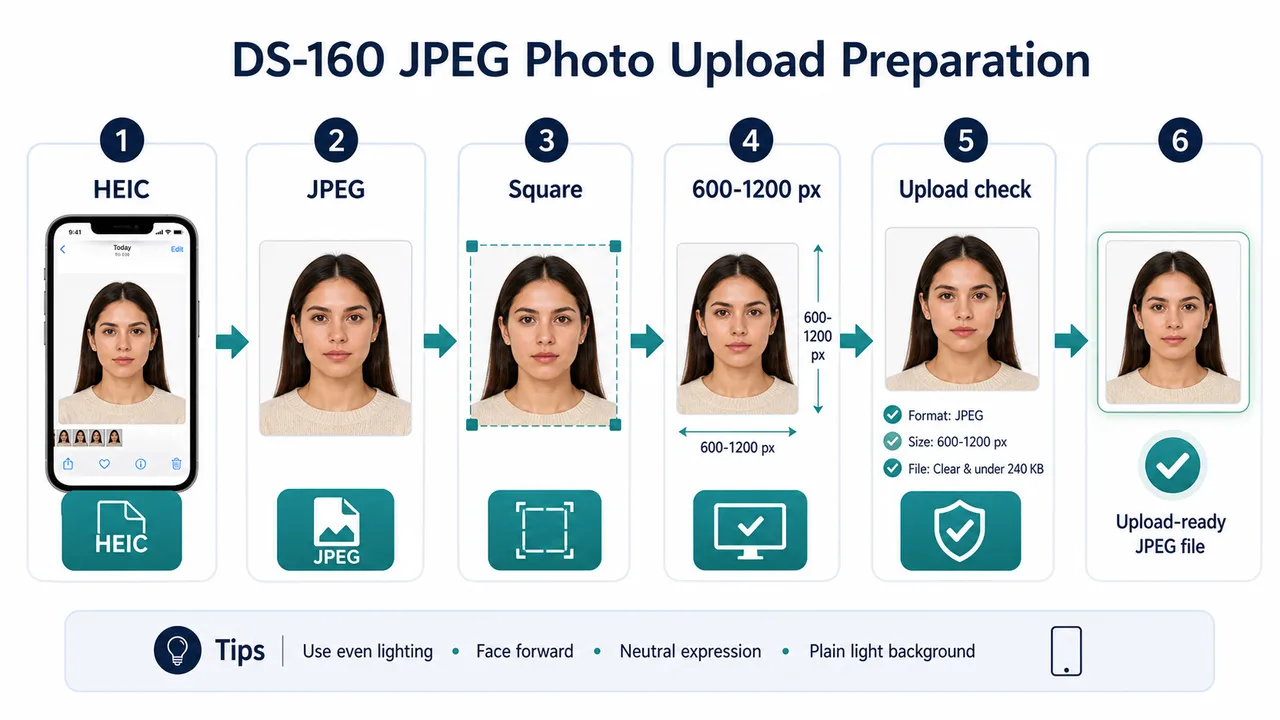
Quick answer
- Use JPEG, not HEIC.
- Square image, 600 x 600 px to 1200 x 1200 px.
- Check file size, compression, and actual file format before upload.
What to check before uploading
A DS-160 JPEG upload photo should be a real JPEG file. iPhone photos may start as HEIC, so export or save a JPEG rather than only changing the filename extension.
The digital image should be square, 600 x 600 px to 1200 x 1200 px, in color, and within the official file-size limit. Over-compression can create visible artifacts even when the file uploads.
- Confirm JPEG format.
- Confirm square pixel dimensions.
- Check that the photo is not too soft, blocky, or heavily compressed.
Before you submit
A successful upload does not mean the visa application or the photo is finally accepted. Keep a print-ready or backup copy if your embassy or consulate instructions ask for one.
Requirements and local procedures may change. Use Travel.State.Gov and the instructions for your exact application route as the final reference.
Official requirement note
US visa photos are reviewed by the official online system, embassy, consulate, or other reviewing authority. A correctly prepared file does not guarantee acceptance.
Requirements and local procedures may change. Use Travel.State.Gov and the instructions for your exact application route as the final reference.
FAQ
Can I upload HEIC directly to DS-160?
No. Prepare a JPEG and confirm the actual file format is JPEG, not only the extension. Re-export the image as JPEG before uploading.
Does a successful DS-160 upload mean the photo is accepted?
No. A successful upload is only a technical step. Final review is done by the official system, embassy, consulate, or other reviewing authority.
Where should I confirm the latest DS-160 photo rules?
Check Travel.State.Gov and the DS-160 FAQ for your application route, since upload behavior and requirements may change.
Official sources
- U.S. Department of State - U.S. Visa Photos Checked: 2026-06-29
- U.S. Department of State - Digital Image Requirements Checked: 2026-08-20
- U.S. Department of State - Photo Examples Checked: 2026-06-29
- U.S. Department of State - Photo Composition Template Checked: 2026-06-29
- U.S. Department of State - Photo Frequently Asked Questions Checked: 2026-06-29
- U.S. Department of State - DS-160 Frequently Asked Questions Checked: 2026-06-29
Requirements and local procedures may change. Use Travel.State.Gov and the instructions for your exact application route as the final reference.
Choose a guide
Create your photo in the browser
Prepare the photo for U.S. Visa (DS-160) directly in your smartphone or computer browser. Creating and reviewing are free.
What this tool creates
- the required face photo (for digital upload)
Save a DS-160-ready JPEG on iPhone Open the app page