Vietnam e-Visa file preparation
Vietnam e-Visa photo meets the requirements but is still rejected
Meeting the published image requirements does not necessarily guarantee that the current Vietnam e-Visa portal will accept the upload. The portal may apply additional image validation that is not described by a simple file-size or extension check.
Checked: 2026-08-14
Quick answer
- Separate published requirements from current-portal behavior observed in testing.
- A portal rejection does not prove that the published requirement was wrong or that a hidden government rule exists.
- Re-export a fresh JPEG while preserving portrait detail or passport-page readability.
- Do not treat the observed 1.7 MB / 922 KB result as an official 1 MB limit.
First, separate the requirement from the portal decision
A file can be within the published limits and still be rejected by the current portal. That is a statement about the portal upload path, not evidence that the official requirements are incorrect or intentionally incomplete.
The exact server-side checks, image-processing steps, and acceptance thresholds are not publicly documented. Treat the portal decision as a separate observed outcome.
What we observed in current-portal testing
In our testing, some images within the published limits were still rejected. In one current-portal test of Passport BIO JPEG exports, an approximately 1.7 MB file failed with “Notification File has script tag, please try again”, while a re-exported JPEG of approximately 922 KB was accepted.
The same observation does not mean that Vietnam has an official 1 MB rule. It records two outputs, one portal session, and an unresolved interaction between JPEG encoding, image processing, and portal validation.
What does “Notification File has script tag, please try again” mean?
The message may appear while uploading an image. In our testing, it did not necessarily mean that the image actually contained a script. Changing the JPEG export or compression allowed one tested image to upload, but that does not prove that compression always fixes the error.
The portal’s exact reason for producing this message is not publicly documented. Do not turn the message into a claim about JPEG metadata or a definite portal bug.
What to try next — and why smaller is not always better
- Start again from the original image rather than repeatedly compressing the already-exported file.
- Re-export as a fresh JPEG with useful quality and without repeated messaging or social-app recompression.
- Keep the passport page complete, all four corners visible, and the passport text readable.
- Keep the portrait face clear and avoid unnecessary degradation of facial detail.
- Try a fresh compatibility-oriented export, but do not assume that being just below 2 MB guarantees acceptance.
- If repeated exports keep failing, check the current official portal instructions and contact its support rather than blindly reducing quality.
Published portrait and passport-image requirements
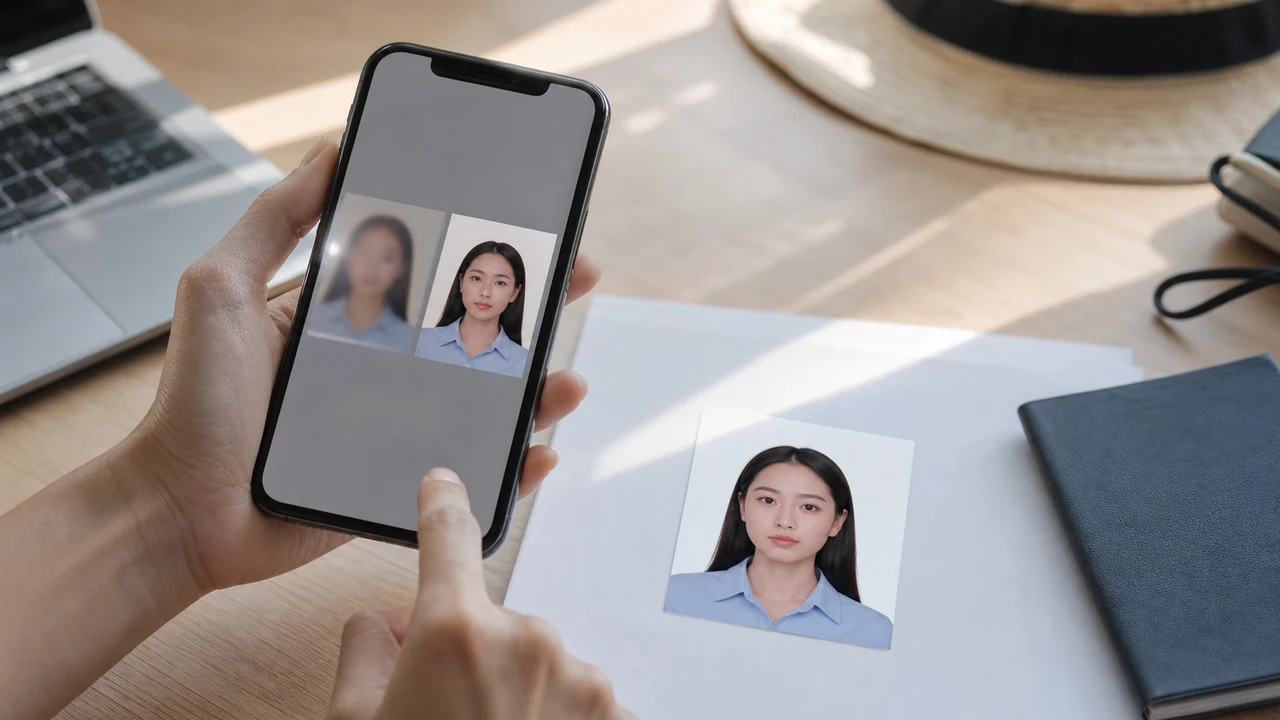
- The current official portrait instructions list a newly taken 4 × 6 cm JPG/JPEG image, under the published 2 MB limit, with a white background and a straight face; the instruction also mentions no hat, no glasses, and formal clothes.
- For the passport upload, the official portal asks for one clear passport data page with no lost corners. It does not publish a current passport-page format or byte limit in the Requirement projection.
- The 2:3 shape and pixel dimensions used by the Tool are projections or product output decisions, not additional government-published pixel requirements.
Additional portal validation is documented
The official user manual shows the portal uploading a portrait and passport data-page image, extracting personal data, comparing the portrait with the passport image, and blocking submission when an image is invalid.
This confirms portal-side processing and face comparison exist. It does not disclose the algorithm, a similarity score, a byte threshold, or an exact pass/fail rule.
Related troubleshooting
Use the general upload checklist for ordinary file problems, or read the separate guide when the warning concerns portrait-to-passport face comparison.
Create your photo in the browser
Prepare the photo for Vietnam e-Visa directly in your smartphone or computer browser. Creating and reviewing are free.
What this tool creates
- the required face photo (for digital upload)
- the passport biographical data page (photo page) (for document upload)
Prepare Vietnam e-Visa files on iPhoneDownload on the App Store
Official-source note
These guides summarize the Vietnam National Electronic Visa system instructions for the portrait photo and passport data page image. The app prepares files; the visa application itself is submitted on the official evisa.gov.vn portal.
This website and app are independent file preparation tools. They are not an official Vietnam government app, are not affiliated with the Vietnam Immigration Department, and do not guarantee photo acceptance, application approval, or visa issuance.
Common Vietnam e-Visa photo mistakes
Most e-Visa file rejections come from a small set of repeated issues. These checks reduce upload problems, but they do not guarantee that your photo or application will be accepted.
-
Square crop instead of a 2:3 portrait
Vietnam e-Visa needs a 4 × 6 cm vertical photo (2:3 ratio). Reusing a square US or India visa crop cuts off the shoulders and is a common upload failure.
-
Grey or patterned background
Shadows, color, or texture behind the head often cause a rejection. Use a plain white or very light wall and step forward to soften the shadow.
-
Glare on glasses or hidden eyes
Glasses reflections and frames covering the eyes are a leading reason for face photo rejection. Removing glasses before shooting is the safest choice.
-
Unreadable passport data page
If the MRZ lines, name, or passport number are blurred or hidden by glare, the file may be rejected even when the face photo looks fine.
-
File too large or wrong format
Export a JPG / JPEG under the official 2 MB ceiling. A PNG or oversized file can be rejected at upload even when the image itself looks correct.
-
Hair over the eyes or tilted head
Hair across the eyebrows or eyes and a tilted face make the portrait hard to verify. Keep the head straight and hair off the face.
Why use shoumei.org for Vietnam e-Visa files
Exact 4 × 6 cm / 2:3 export
The app outputs an 1200 × 1800 px JPEG that matches the Vietnam e-Visa portrait ratio, so you avoid the square-crop problem from the start.
Under 2 MB with readable detail
It compresses the JPEG below the official file-size ceiling while keeping facial detail and passport text as readable as the source image allows.
Background and face alignment guides
Built-in guides help you center the face, leave correct margins, and check the white background before export.
On-device privacy
Image processing stays on your device. No photo or passport image is uploaded to a server through shoumei.org.
shoumei.org is an independent file preparation tool. It is not affiliated with the Vietnam government or the evisa.gov.vn portal, and using it does not guarantee that your photo, passport image, or visa application will be accepted or approved.
FAQ
Why can Vietnam e-Visa reject my photo even when it is under 2 MB?
The published size limit is one requirement, but the current portal may apply additional validation. The exact checks and thresholds are not publicly documented, so being under the published limit does not guarantee acceptance.
What does “Notification File has script tag” mean?
It is a portal message observed during image upload. Our testing did not establish that the JPEG actually contained a script, and the portal has not publicly documented the exact cause.
Should I keep compressing the image until it uploads?
No. Repeated compression can remove portrait detail or passport-text readability. Start from the original and make a fresh, compatibility-oriented JPEG export instead.
Does meeting the published photo requirements guarantee portal acceptance?
No. It is important for the file to meet the published requirements, but portal acceptance is a separate decision and is not guaranteed by this website or Tool.
Official sources
- Vietnam e-Visa — Official portal photo upload terms (evisa.gov.vn) Checked: 2026-08-14
- Vietnam e-Visa — Official user manual / application instructions Checked: 2026-08-14
- Vietnam e-Visa — Current portal Passport BIO iOS artifact observations Checked: 2026-08-14
- Vietnam e-Visa — Current portal portrait upload behavior observation Checked: 2026-08-14
This website and app are independent file preparation tools. They are not an official Vietnam government app, are not affiliated with the Vietnam Immigration Department, and do not guarantee photo acceptance, application approval, or visa issuance.