Quick answer
- A China visa photo requires a plain white or near-white background with no shadows.
- Paper photo: 33 × 48 mm high. Digital photo for COVA: 354 × 472 px, JPEG, 40 KB–120 KB.
- The applicant's face should be clearly visible, centered, and evenly lit.
- Printed and digital photo requirements may differ depending on the application route and center.
- Do not rely only on old screenshots or unofficial examples; check the latest official requirements before submission.
- shoumei.org is an independent photo formatting tool. It does not submit visa applications or guarantee acceptance.
What is a China Visa Photo?
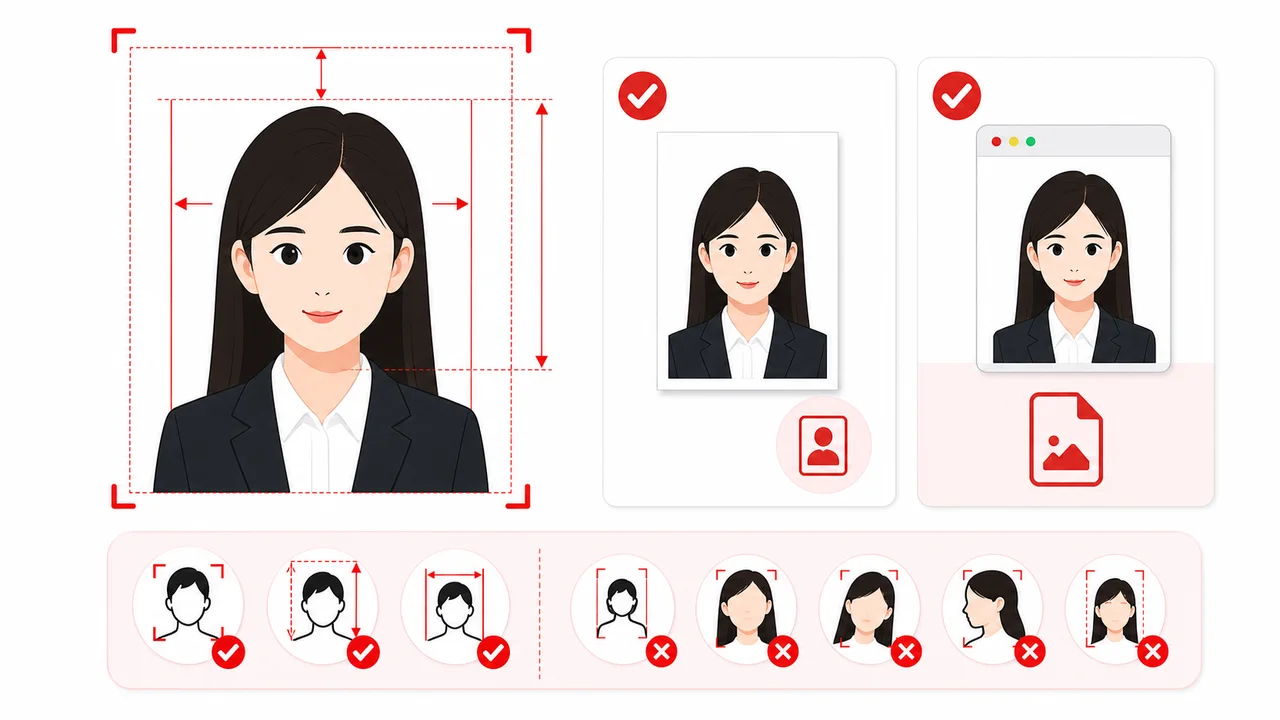
A China visa photo is a specific passport-style photograph that must accompany all Chinese visa applications. It has strict alignment rules regarding head width (15–22 mm), head height (28–33 mm), top margin (3–5 mm), and background color (plain white or near-white).
Official Source Note
Requirements are based on instructions from the China Online Visa Application (COVA) portal, Chinese embassy and consulate pages, and Visa Application Service Center guidance. Specifications may vary slightly by country, center, or application route. For final and authoritative regulations, please refer directly to official governmental resources.
! Some details are being re-checked Last checked: September 3, 2026
Some details are being re-checked
We are re-checking part of this information against the official sources. For the latest details, follow the official guidance for your application.
Printed vs Digital & Passport Photos
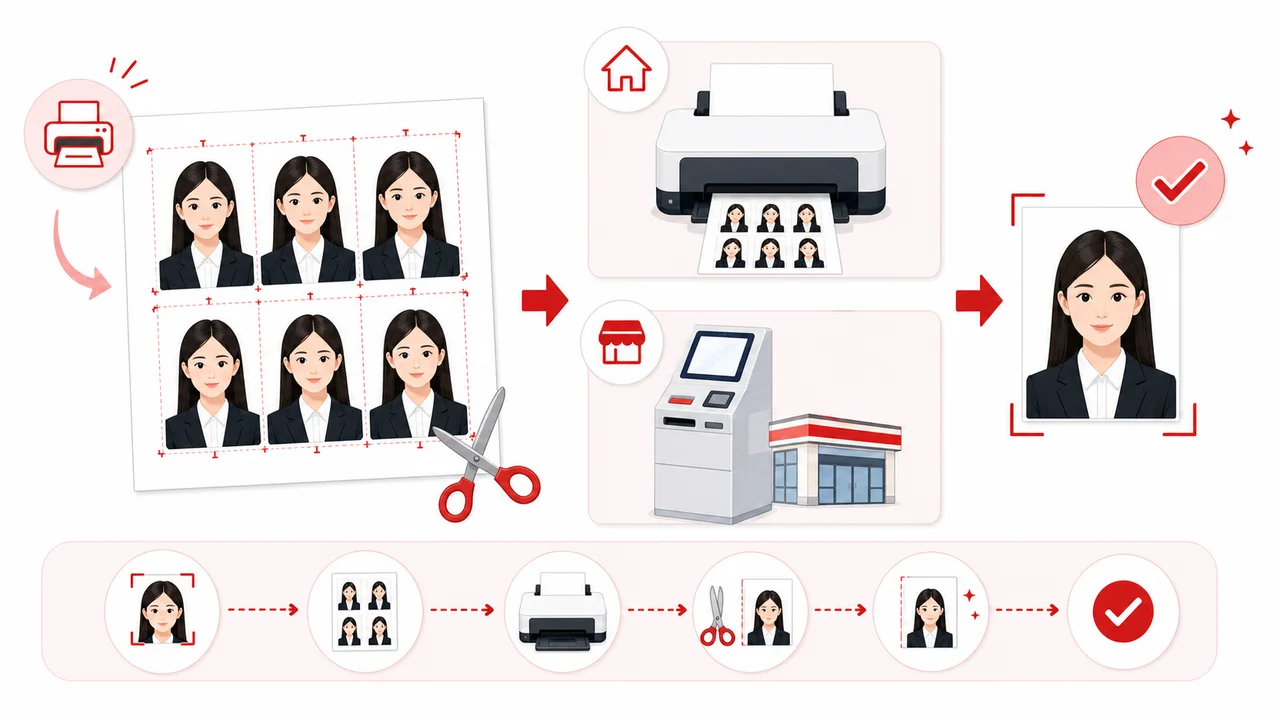
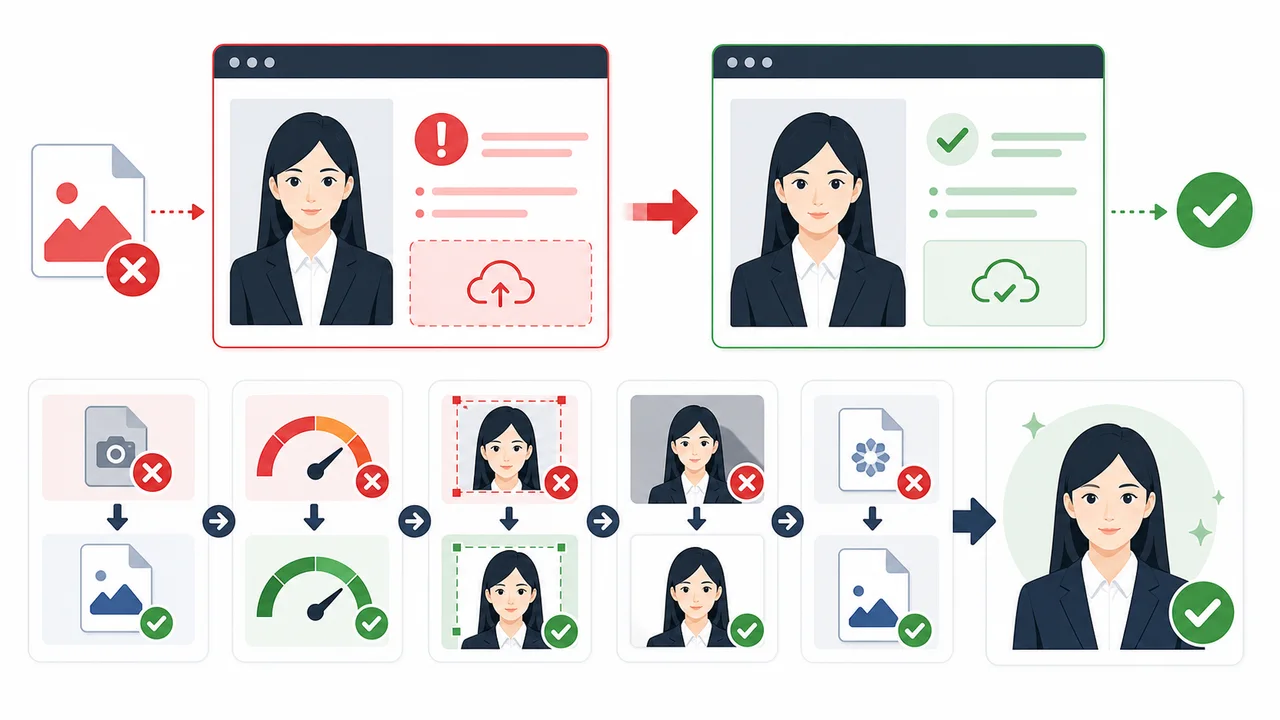
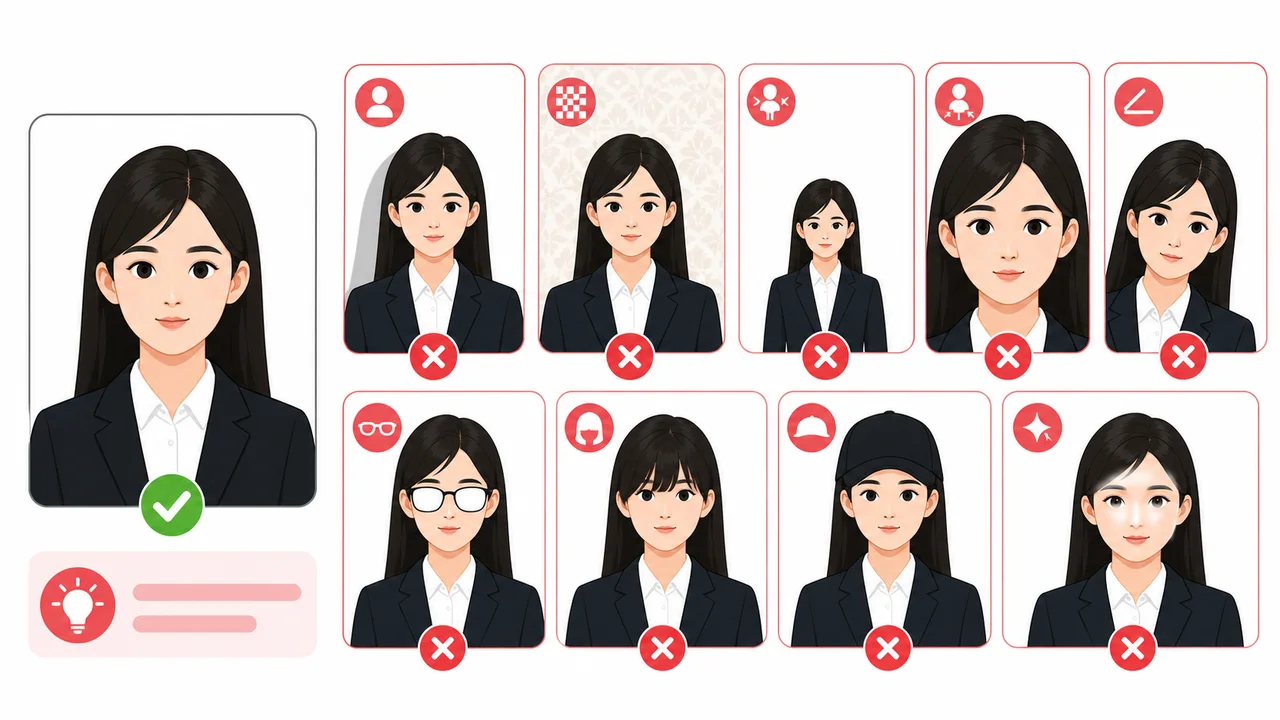
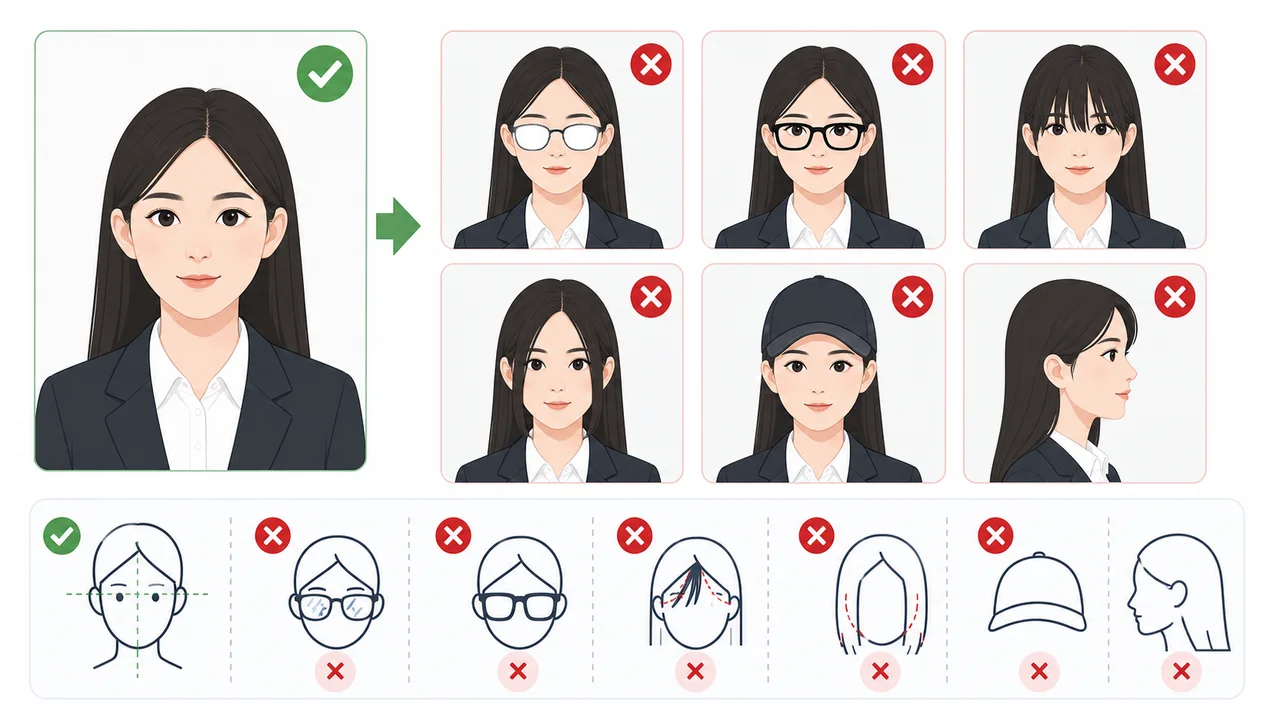
Official Requirements Summary
The Chinese embassy and visa centers have strict requirements for photos. Here is a summary of the official specifications.
| Photo Size | Paper: 33 × 48 mm high | Digital: 354 × 472 px (some centers mention up to 420 × 560 px) |
|---|---|
| Background Color | Plain white or near-white, no shadows |
| Head Position & Size | Head width: 15–22 mm, Head height: 28–33 mm, Top margin: 3–5 mm |
| Facial Expression | Neutral expression, mouth closed, eyes open & looking at camera, no teeth showing |
| Glasses | Not prohibited, but removing is safest. If worn: thin frames, no dark lenses, no glare, frames must not cover eyes |
| Digital Format | JPEG, 24-bit RGB true color |
| Digital File Size | 40 KB–120 KB |
| Recency | Taken within the last 6 months |
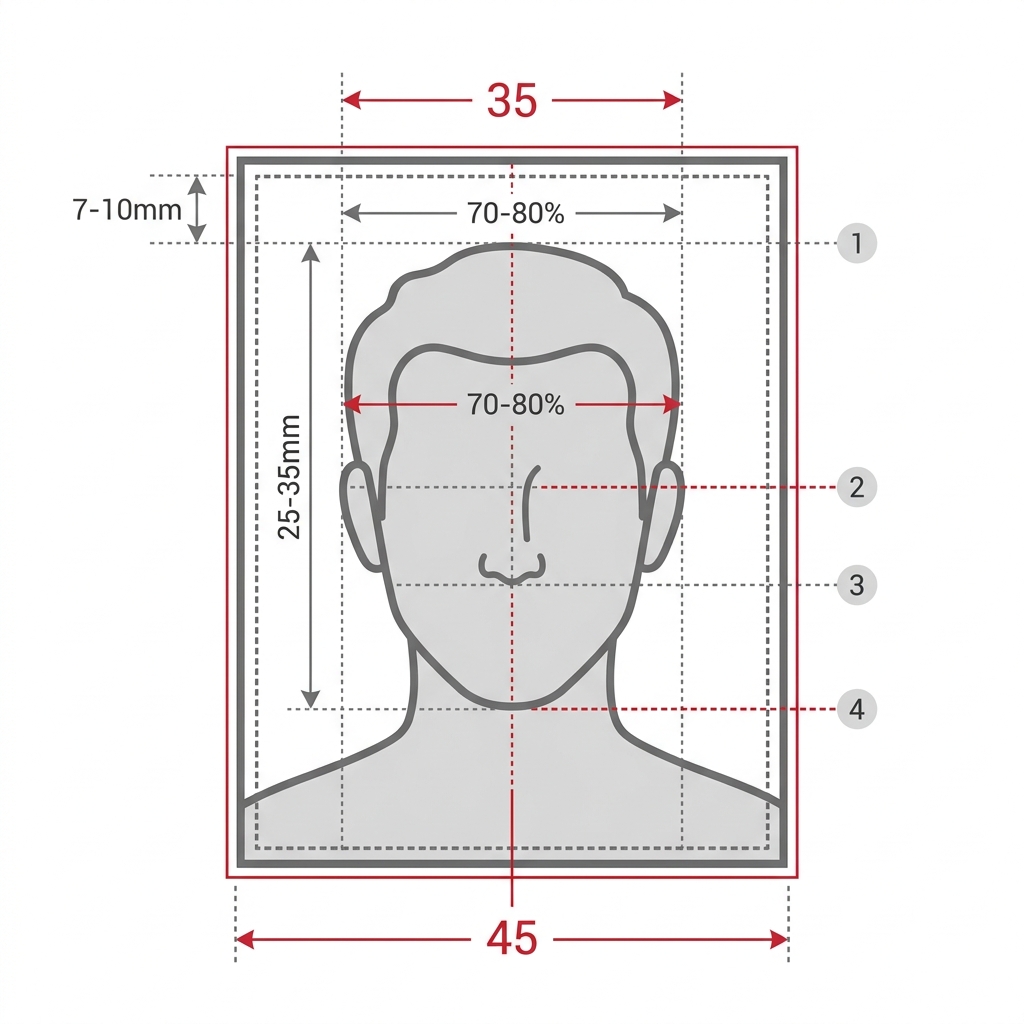
Printed vs Digital & Passport Photos
Understanding how various photo requirements differ can prevent unnecessary rejections.
Printed photo vs digital photo
For China visa applications, printed photo specifications focus on millimeter measurements (33 × 48 mm high), whereas digital online submissions via COVA focus on pixel counts (354 × 472 px standard; some centers mention up to 420 × 560 px), specific file sizes (40 KB–120 KB), and JPEG 24-bit RGB format.
China visa photo vs passport photo
A standard China visa photo is 33 × 48 mm high, which differs from standard US passport photos (2 × 2 inches) and Schengen/Japanese passport photos (3–5 mm × 45mm). You cannot assume your standard passport photo will be accepted.
Embassy requirements may vary by location
Embassies, consulates, and Visa Application Service Centers in different countries or regions may use slightly different wording or specific validation rules. Always check the official website of the specific center where you will apply.
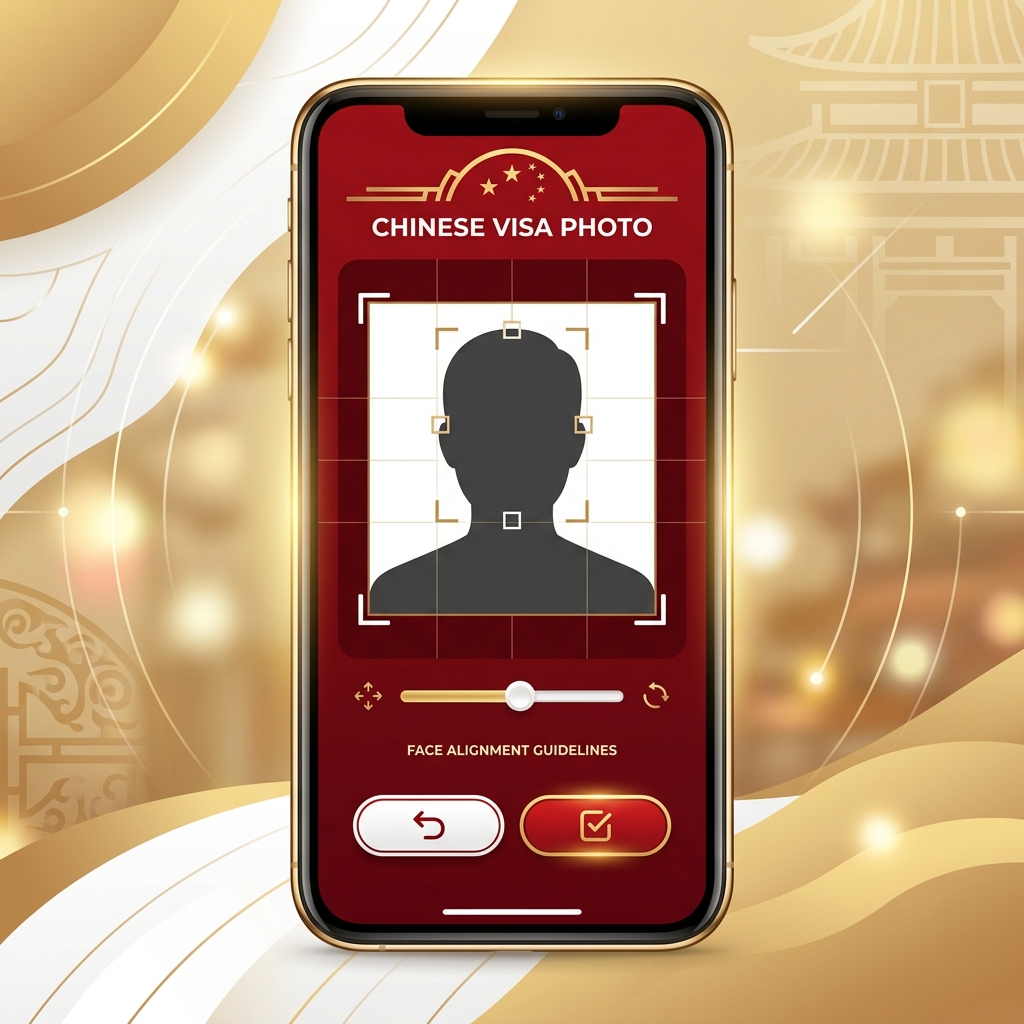
How to Prepare a China Visa Photo on Your Phone
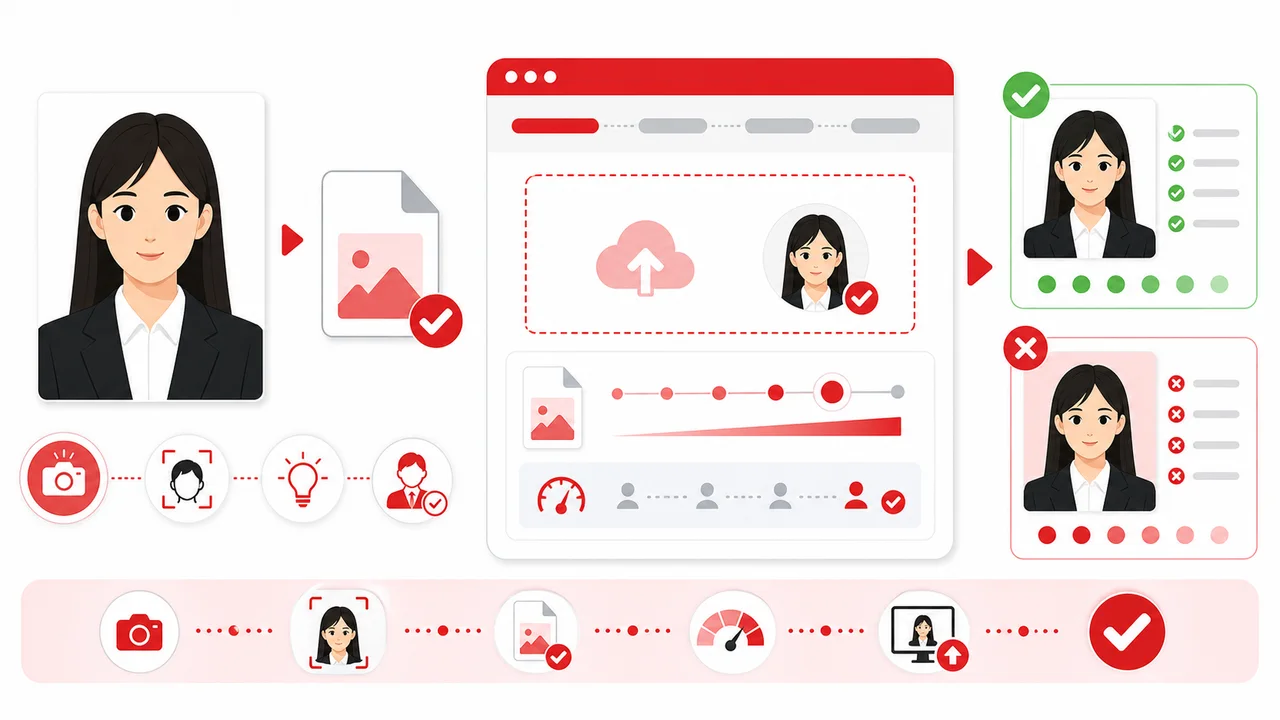
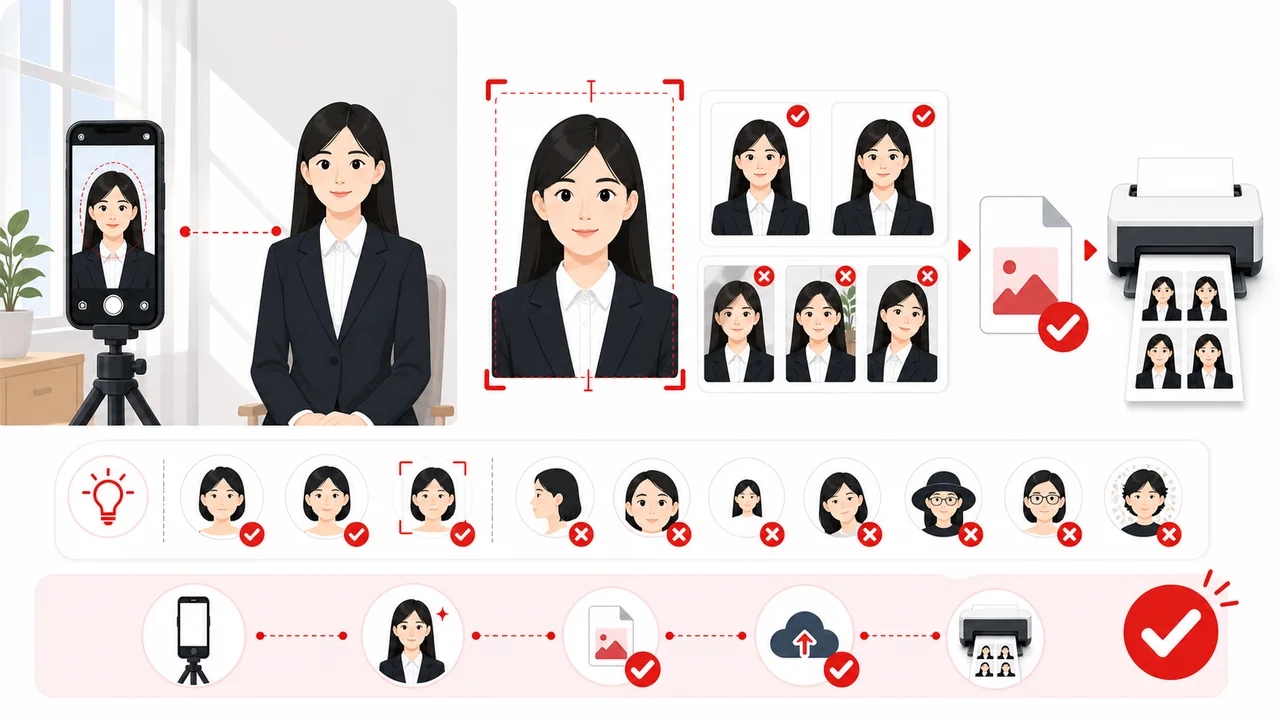
Take a photo in front of a plain white wall with even, natural lighting.
Adjust your face position using the template overlay guide.
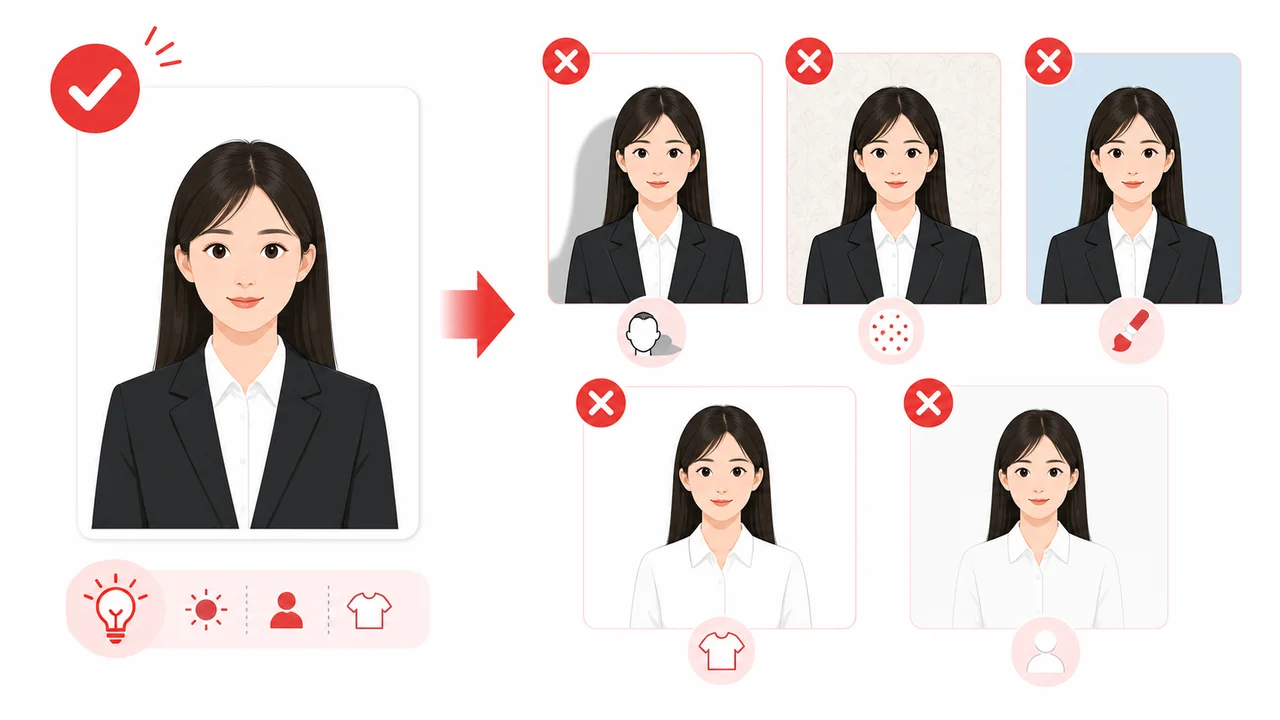
Check that the background is plain white or near-white, with no shadows on your face or behind you.
Export the prepared photo as a print layout (33 × 48 mm) and/or a JPEG (354 × 472 px, 40–120KB).
Double-check all official embassy or visa center requirements before uploading or printing.
Common Mistakes (Reasons for Rejection)
Many visa photo submissions are rejected due to simple errors. Avoid these common mistakes:
Shadows on Face or Background
Uneven lighting or standing too close to the wall can create shadows. Ensure soft, even lighting with no shadows on the face or behind the head.
Glasses & Reflections
Glasses are not prohibited, but removing them is strongly recommended. Thick frames, dark lenses, glare, and frames that cover the eyes often lead to rejection.
Incorrect Head Size
Your head must take up between 60% and 75% of the photo height. Tilting the head is also not allowed.
Hair Covering Ears or Eyebrows
It is safest to keep your forehead, eyebrows, and ears clearly visible. Official guidance from some embassies states that ears should be visible. Avoid letting hair cover your eyes, eyebrows, or the contours of your face.
White Clothes on White Background
Avoid white or very light clothing because it can blend into the white background. Darker clothing provides clearer separation.
Wrong File Size or Dimensions
The COVA digital upload requires a JPEG between 40 KB–120 KB at 354 × 472 px. An incorrect file size or resolution will fail upload validation.
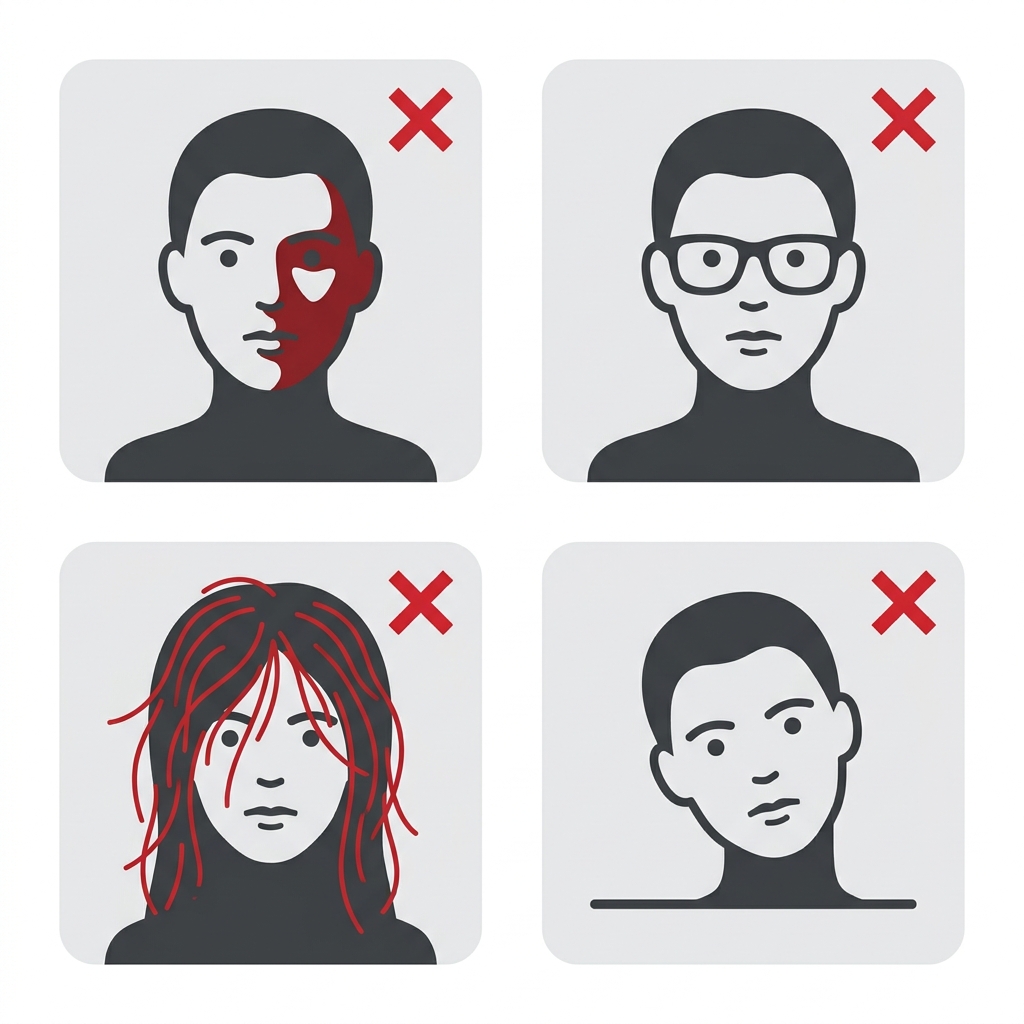
Before you submit
Before saving or submitting your photo, review the most common points of failure.
If you are unsure, you can create and check your photo with a preparation tool.
How the App Helps You Prepare Your Photo
On-Screen Template Guide
Align your face with the official guide lines to easily meet the strict height and width specifications.
Background Check & Guidance
Check whether the background is plain white or near-white, with no shadows. It is safest to take the photo in front of a white wall from the start. If you use a background cleanup feature, use it carefully and verify the final image looks natural.
COVA-Style JPEG Export
Export a 354 × 472 px JPEG between 40 KB–120 KB, formatted for COVA-style digital upload requirements. Final acceptance depends on the COVA upload check, visa center, embassy or consulate.
Privacy First Processing
All image adjustments are processed entirely on your device. Your photos are never sent to a server.
Note: shoumei.org is an independent photo formatting tool to assist in preparation. It is not affiliated with COVA, the Ministry of Foreign Affairs of China, any Chinese embassy or consulate, or any visa application center. It does not submit visa applications or guarantee acceptance.
Frequently Asked Questions
What are the China visa photo requirements?
A China visa photo must be 33 × 48 mm high for paper submissions, taken within the last 6 months, with the applicant facing forward, no hat, a plain white or near-white background, and a clear image with no shadows. Head height should be 28–33 mm, head width 15–22 mm.
What size is a China visa photo?
For paper submissions: 33 × 48 mm high. Official pages may list this as '48mm × 33mm' (height × width). For COVA digital uploads: 354 × 472 px (standard), with some centers mentioning up to 420 × 560 px. Always follow the upload screen or local visa center instructions.
Is the China visa photo 33 × 48 mm or 48mm × 33mm?
Both refer to the same photo: 33 × 48 mm high. Official Chinese embassy and COVA pages sometimes write '48mm × 33mm', meaning height × width.
What are the COVA digital photo requirements?
JPEG, 24-bit RGB true color, 354 × 472 px, file size 40 KB–120 KB. Some visa center pages mention ranges up to 420 × 560 px. 354 × 472 px is the safest standard COVA output.
Does a China visa photo need to be 354 × 472 px?
For COVA online uploads, 354 × 472 px is the standard requirement and the safest choice. Some centers mention up to 420 × 560 px. Always follow the specific upload screen or local visa center instructions.
What file size is required?
40 KB–120 KB in JPEG format. Files outside this range will fail the COVA upload validation.
What background is required?
Plain white or near-white with no shadows, patterns, or objects. Take the photo in front of a white wall with even lighting.
Can I change the background after taking the photo?
The safest approach is to photograph in front of a white or near-white wall from the start. If you use a background cleanup feature, use it carefully and verify the final image looks natural with no edge artifacts. Background replacement does not guarantee acceptance.
Can I wear glasses?
Glasses are not prohibited, but removing them is strongly recommended. If worn: thin frames only, no dark lenses, no glare, frames must not cover or overlap the eyes. Eyes must be clearly visible.
Should my ears and eyebrows be visible?
Yes, it is safest to keep your forehead, eyebrows, and ears clearly visible. Some official guidance states ears should be visible, so tuck long hair behind your ears. Avoid hair covering the eyes, eyebrows, or the contours of your face.
Can I wear white clothes?
Avoid white or very light clothing because it can blend into the white background. Darker clothing provides clearer separation.
Do I need a printed photo or digital upload?
It depends on your application route. COVA online requires a digital upload (JPEG, 354 × 472 px, 40–120KB). Some procedures may also require printed photos. Check the specific embassy, consulate, or visa center instructions.
Do I need to write my name on the back of the printed photo?
Some procedures or centers may require information such as your name on the back of printed photos. Check the specific embassy, consulate, or visa center instructions.
Does shoumei.org submit my visa application?
No. The app formats and exports a photo file. You must complete and submit your application through the official COVA portal or your local embassy or consulate.
Is this an official China visa app?
No. This is an independent photo formatting tool, not affiliated with COVA, the Ministry of Foreign Affairs of China, any Chinese embassy or consulate, or any visa application center.
Does shoumei.org guarantee acceptance?
No. The app helps you prepare a photo file, but final acceptance depends on the COVA upload check, visa center, embassy or consulate.
Are photos uploaded to a server?
No. All processing happens on your iPhone. Photos are never sent to a server.
What are common reasons a China visa photo may be rejected?
Background shadows, hair covering the eyebrows or eyes, glasses with thick frames or glare, white clothing blending into the background, incorrect head dimensions, file size outside 40–120KB, or a photo older than 6 months.
Create your photo in the browser
Prepare the photo for China Visa directly in your smartphone or computer browser. Creating and reviewing are free.
What this tool creates
- the required face photo (for digital upload)
Prepare Your China Visa Photo Now
Get a formatted photo file matching official sizes using your iPhone in minutes.
Download on the App Store