Vietnam e-Visa file preparation
Vietnam e-Visa face photo requirements
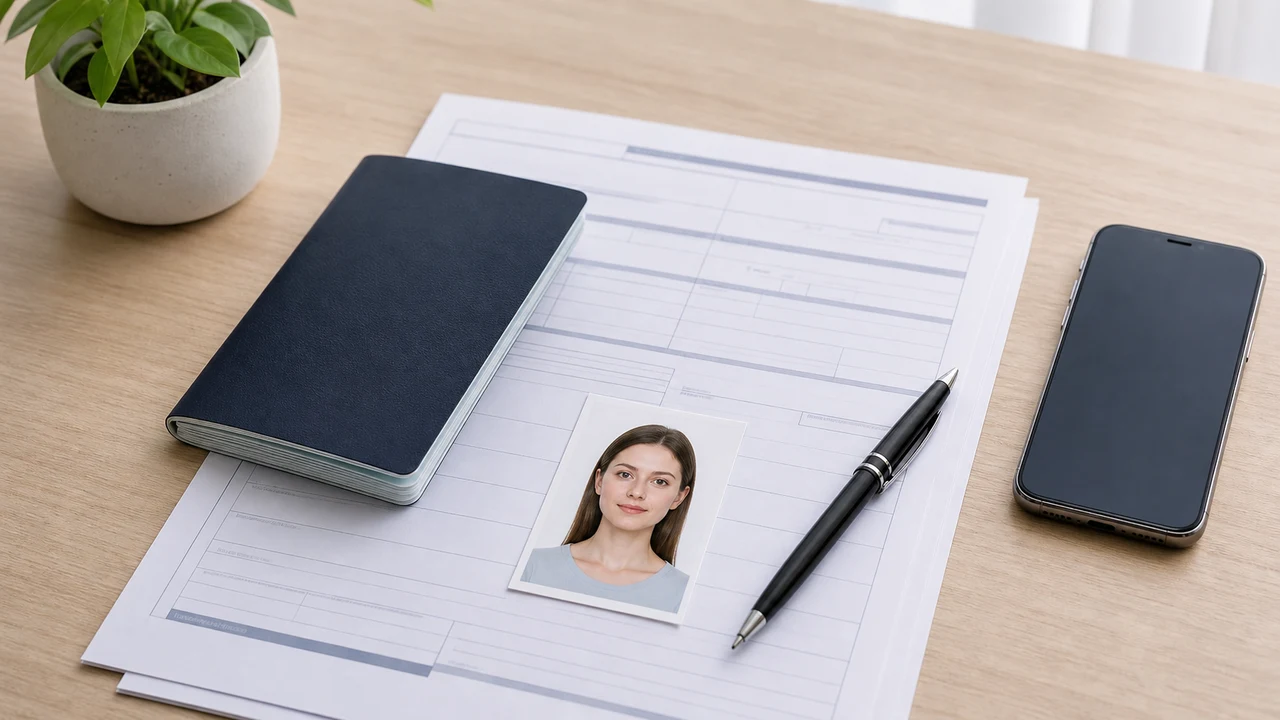
The Vietnam e-Visa portrait photo is not a square visa photo. Prepare a vertical 4 x 6 cm JPEG, then check the background, face visibility, and file size before you upload it.
Checked: 2026-07-01
Quick answer
- Prepare a recent 4 x 6 cm portrait photo in JPG/JPEG format.
- The app exports an 800 x 1200 px JPEG, matching the 2:3 portrait shape.
- Use a plain white or very light background with no strong shadow.
- Keep this separate from square US or India visa photo formats.
The key difference is the 2:3 portrait shape
Many visa photo examples online use a square crop (such as US or Indian visa formats). That is the wrong starting point for Vietnam e-Visa. The official portal requires a vertical 4 x 6 cm photo, which corresponds to a 2:3 portrait ratio. Reusing a square photo may cause formatting rejection because it cuts off necessary shoulders or makes the head too large.
Start from the correct portrait frame instead of trying to stretch or pad a square file later. The app is designed to crop and output the exact 2:3 ratio at 800 x 1200 px to match this requirement.
Important rules for glasses, expression, and clothing
- Glasses: It is strongly recommended to remove your glasses to avoid reflections or frame shadows, which are common reasons for visa photo rejection.
- Expression: Maintain a neutral facial expression with your mouth closed and eyes looking straight ahead. No smiling or frowning.
- Clothing: Wear colored clothing that contrasts with the white background. Avoid wearing white shirts, as they blend into the wall and make your shoulder outlines invisible.
- Hair: Keep hair off your eyes. Your ears, eyebrows, and full face contour must be clearly visible.
What the app output is designed to do
- Export a face photo JPEG at 800 x 1200 px.
- Keep the file size under the official 2 MB ceiling while maintaining high image clarity.
- Use the face-position guide to help you center and align your head.
- Support white-background tone adjustments without changing the shape of your face.
Do not treat the prepared photo as an approval promise
A clean file reduces obvious upload problems, but the official portal and reviewing authority still control the final result. Official visa requirements can also change, so always verify the latest instructions on evisa.gov.vn before submitting your application.
Official-source note
These guides summarize the Vietnam National Electronic Visa system instructions for the portrait photo and passport data page image. The app prepares files; the visa application itself is submitted on the official evisa.gov.vn portal.
This website and app are independent file preparation tools. They are not an official Vietnam government app, are not affiliated with the Vietnam Immigration Department, and do not guarantee photo acceptance, application approval, or visa issuance.
Common Vietnam e-Visa photo mistakes
Most e-Visa file rejections come from a small set of repeated issues. These checks reduce upload problems, but they do not guarantee that your photo or application will be accepted.
Vietnam e-Visa needs a 4 x 6 cm vertical photo (2:3 ratio). Reusing a square US or India visa crop cuts off the shoulders and is a common upload failure.
Shadows, color, or texture behind the head often cause a rejection. Use a plain white or very light wall and step forward to soften the shadow.
Glasses reflections and frames covering the eyes are a leading reason for face photo rejection. Removing glasses before shooting is the safest choice.
If the MRZ lines, name, or passport number are blurred or hidden by glare, the file may be rejected even when the face photo looks fine.
Export a JPG/JPEG under the official 2 MB ceiling. A PNG or oversized file can be rejected at upload even when the image itself looks correct.
Hair across the eyebrows or eyes and a tilted face make the portrait hard to verify. Keep the head straight and hair off the face.
Why use this app for Vietnam e-Visa files
The app outputs an 800 x 1200 px JPEG that matches the Vietnam e-Visa portrait ratio, so you avoid the square-crop problem from the start.
It compresses the JPEG below the official file-size ceiling while keeping facial detail and passport text as readable as the source image allows.
Built-in guides help you center the face, leave correct margins, and check the white background before export.
Image processing stays on your device. No photo or passport image is uploaded to a server through this app.
This app is an independent file preparation tool. It is not affiliated with the Vietnam government or the evisa.gov.vn portal, and using it does not guarantee that your photo, passport image, or visa application will be accepted or approved.
Related guides
FAQ
Is a square visa photo okay for Vietnam e-Visa?
No. Vietnam e-Visa portrait photos should be prepared as a 4 x 6 cm vertical image (2:3 ratio), not a 1:1 square crop.
What pixel size does the app export?
The app prepares the face photo as an 800 x 1200 px JPEG, which matches the 2:3 portrait shape of a 4 x 6 cm photo.
Official sources
- Vietnam National Electronic Visa system Checked: 2026-07-01
- Vietnam National Electronic Visa system - Instruction Checked: 2026-07-01
This website and app are independent file preparation tools. They are not an official Vietnam government app, are not affiliated with the Vietnam Immigration Department, and do not guarantee photo acceptance, application approval, or visa issuance.
All Vietnam e-Visa photo guides
Prepare Vietnam e-Visa files on iPhone
Create a 4 x 6 cm face photo JPEG and a passport data page image, then confirm the latest instructions on evisa.gov.vn before submission.
Download on the App Store