Quick Answer
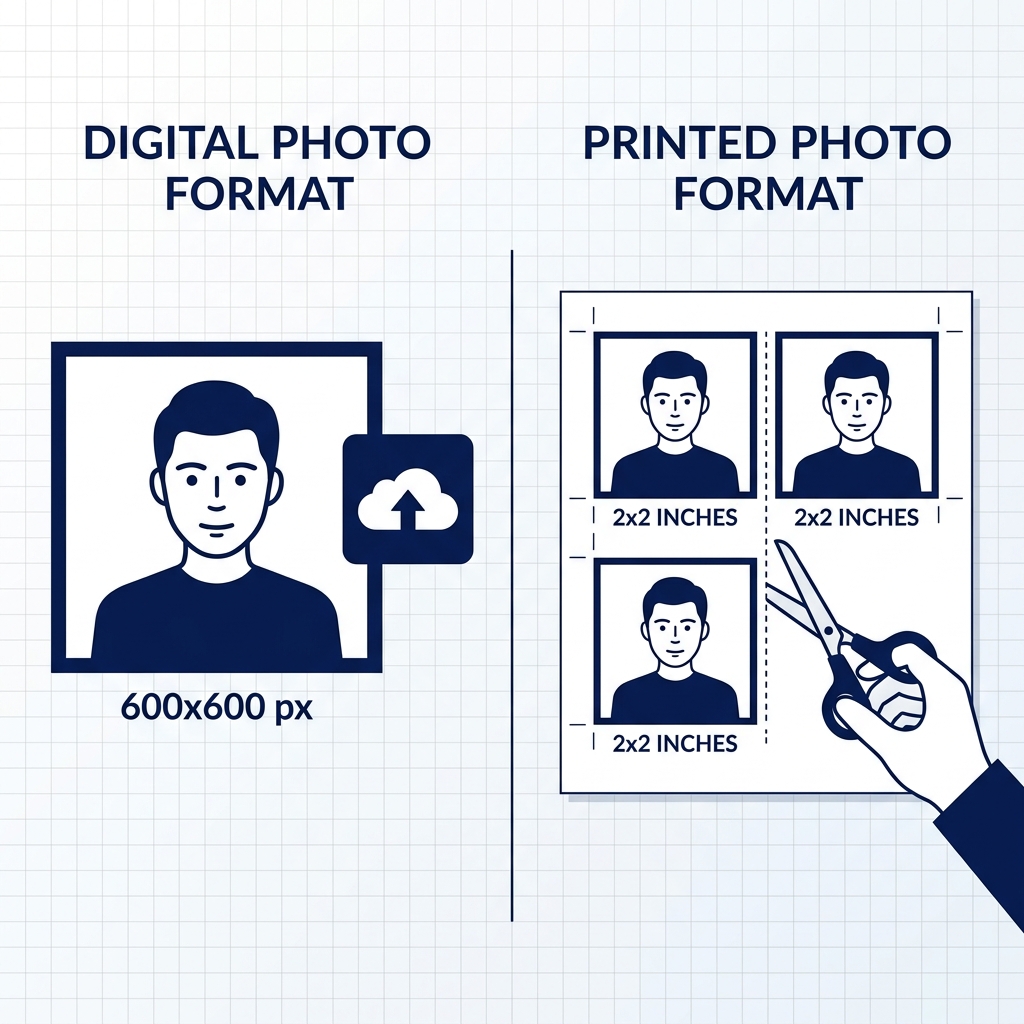
- US visa digital photos must be square JPEGs. For DS-160, the official range is 600 × 600 to 1200 × 1200 pixels; for DV Lottery, exactly 600 × 600 pixels is required.
- Printed U.S. visa-style photos are 2 × 2 inches (50.8 × 50.8 mm) on photo-quality paper. Check your embassy or consulate instructions for whether printed photos are required.
- The background must be plain white or off-white, prepared at the time of shooting. Do not rely on digital background removal or replacement.
- DS-160, embassy, and DV Lottery photo instructions may differ, so always check the latest official requirements before submitting.
- shoumei.org is an independent photo formatting tool. It does not submit visa or DV applications and does not guarantee acceptance.
What is a US Visa Photo?
A US visa photo is a specific format photo required for U.S. visa applications (like DS-160 online forms) and the Diversity Visa (DV) Lottery. It must meet strict requirements for size, background, face proportions, and expression.
Official Source
Photo requirements are determined by the U.S. Department of State (travel.state.gov). Always refer to official government websites for final regulations and forms.
U.S. Department of State - DV-2026 Diversity Visa Program Instructions
✓ Checked against official sources Last checked: August 20, 2026
Prepare the entry photo in your browser
Add a photo, review the square JPEG for a DV entry, and save it. The tool does not submit or guarantee an entry.
Prepare your DV Lottery photo onlineCurrent DV Lottery cycle
UNKNOWN
Check the official announcement for the next registration period. We do not infer dates or an open/closed state that has not been announced.
Official Requirements Summary
The U.S. Department of State has strict guidelines for both digital uploads and printed photos. Here is a summary of the official photo requirements:
| Photo Type | US Visa (DS-160) & DV Lottery / Green Card Lottery |
|---|---|
| Digital Dimensions | 600 × 600 px (exact) |
| Selected-applicant interview prints are separate | 50.8 × 50.8 mm (2 × 2 in) |
| Background Color | White / off-white |
| File Format | JPG |
| File Size | ≤ within 240 KB |
| Photo Recency | Taken within 6 months |
US Visa Photo vs. DV Lottery Photo
Many applicants confuse the photo requirements for US visa applications (DS-160) and the Diversity Visa (DV) Lottery. While they are very similar, the digital size rules differ.
Similar Standards, Different Size Rules
DS-160 digital images must be square JPEGs between 600 × 600 and 1200 × 1200 pixels. DV Lottery requires exactly 600 × 600 px. Both are uploaded through different online systems.
DV Lottery Strict Verification
Submitting an invalid photo may result in disqualification or refusal if selected. Photo errors can make an entry invalid. Use the official E-DV website for submission. The DV entry itself is free; beware of fraudulent consultants who charge fees.
Check Latest Instructions
Because the rules and validation thresholds of the CEAC portal (for DS-160) and the Electronic Diversity Visa website may differ, you should verify requirements on the official site for each specific process.
Selected-applicant interview prints are separate
The DV Entry upload and the 2×2 inch photos carried to an interview after selection are separate artifacts. Check the latest instructions from your post.
- Print Size
- 50.8 × 50.8 mm (2 × 2 in)
How to Prepare a US Visa or DV Photo on Your Phone
Take or choose a recent photo of your face with natural, even lighting in front of a plain white or off-white background.
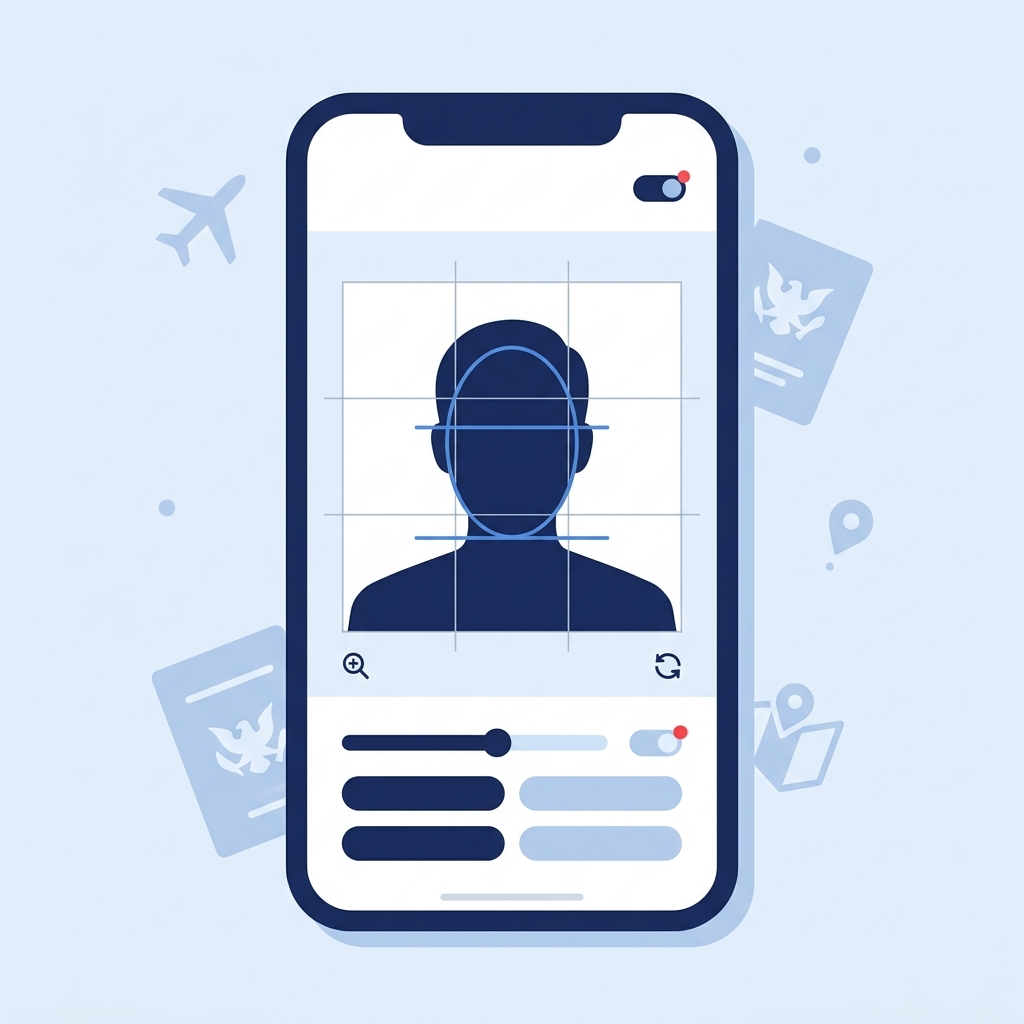
Align your face with the on-screen guide in the app.
Crop the photo to a square format.
Export a JPEG file under 240 KB to your camera roll.
Preview the image before exporting to avoid heavy compression artifacts.
Check the latest official instructions before uploading to DS-160 or DV Lottery.
Common Mistakes (Reasons for Rejection)
A large percentage of visa and DV Lottery applications are delayed or rejected due to improper photos. Avoid these common mistakes:
Wrong Dimensions or Aspect Ratio
DS-160 accepts 600 × 600 to 1200 × 1200 px; DV Lottery requires exactly 600 × 600 px. Uploading non-square photos or files outside the required range is a common cause of failure.
Wearing Eyeglasses
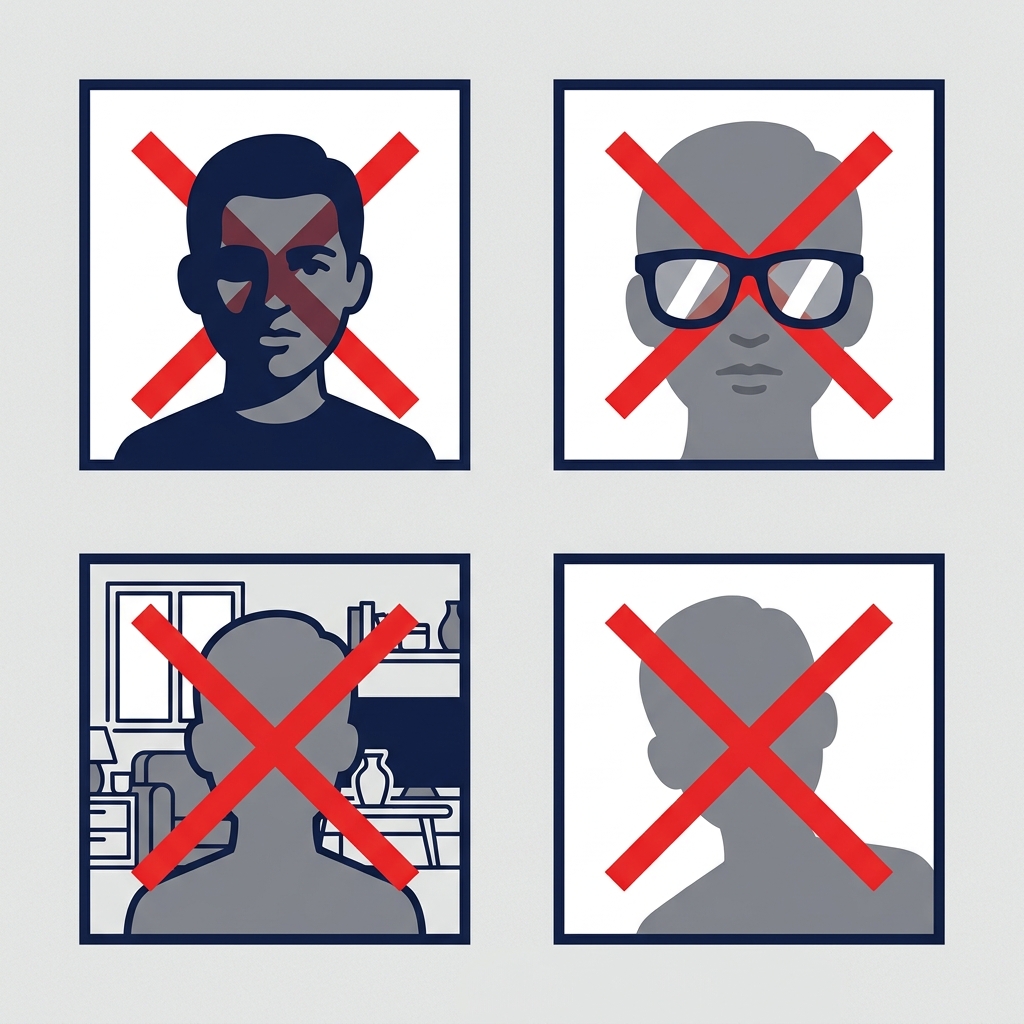
Eyeglasses are not allowed except in rare medical circumstances with a signed medical statement. Remove them before taking your photo.
Shadows on Face or Background
Strong shadows on the background behind you or on your face will cause the automated system to reject the photo.
Head Size Too Large or Too Small
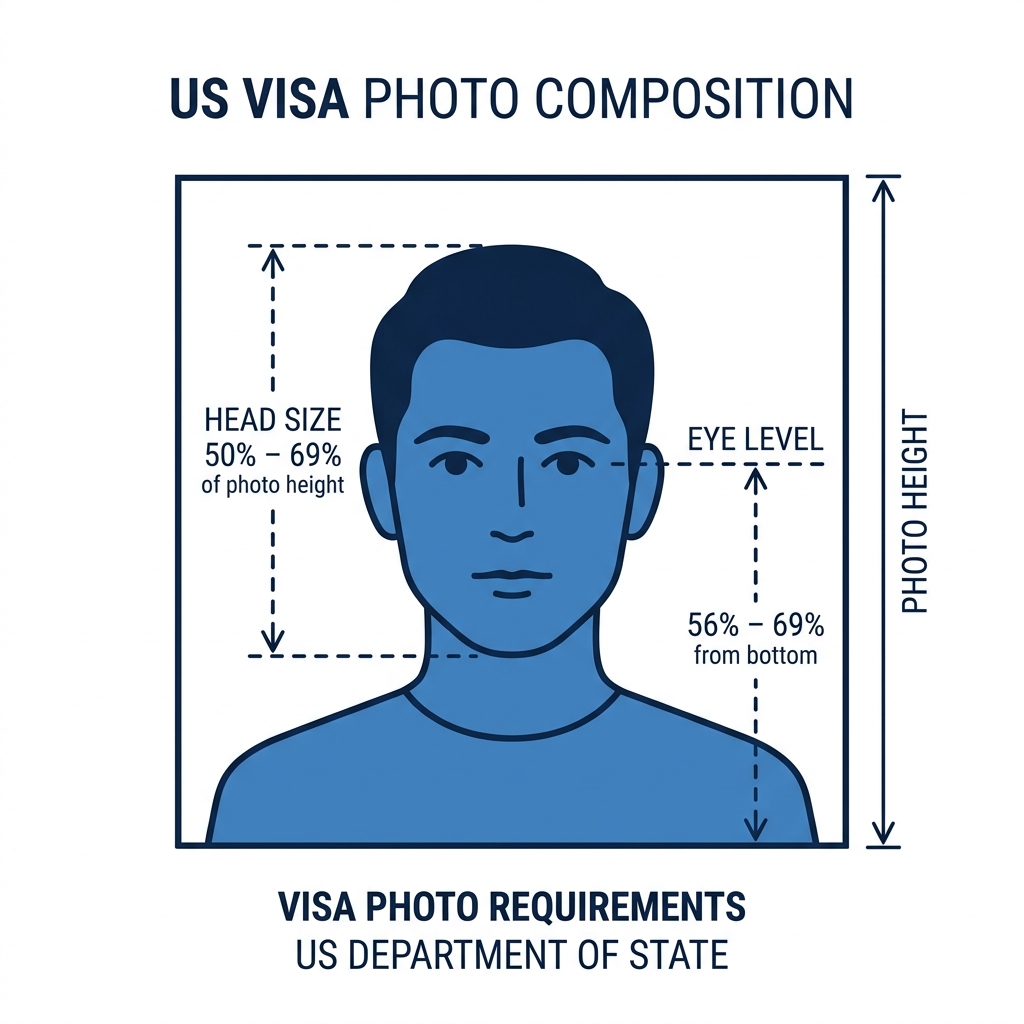
Your head must occupy between 50% and 69% of the total height. Zooming in too close or cropping too loosely will fail verification.
Non-Plain Background
Using a background that is colored, textured, or patterned (instead of plain white or off-white prepared at the time of shooting) will result in rejection.
Old or Reused Photo
Using the same photo as your previous visa or passport when it was taken more than 6 months ago can easily be detected by the system.
Before you submit
Before saving or submitting your photo, review the most common points of failure.
If you are unsure, you can create and check your photo with a preparation tool.
Why Use the US Visa Photo App?
On-Device Face Alignment Guide
The app provides visual overlays to help you match the required head size, eye level, and margins per Department of State composition rules.
Framing, Sizing & Preview
The app crops to the correct square dimensions and lets you preview the image before export. Take your photo in front of a plain white or off-white background with even lighting.
JPEG Export for Digital Upload
Save a square digital photo file under 240 KB in sRGB format, formatted to match common Department of State digital image specifications. Preview before export.
Complete Privacy
All image cropping and adjustments are done locally on your device. Your face data and photos are never sent to a server.
Note: The app is an independent formatting tool. It does not submit visa or DV applications and is not an official U.S. government service. Final acceptance is at the discretion of the U.S. embassy, consulate, or official system. Always check the latest official requirements.
Prepare it with an iPhone app
You can also prepare a U.S. visa and DV photo with the iPhone app, processed on your device.
See the iPhone appFrequently Asked Questions
What are the US visa photo requirements?
A US visa photo must be a color digital image in JPEG format, square aspect ratio, under 240 KB, with a plain white or off-white background. The face must be fully visible with a neutral expression and both eyes open. Glasses are not allowed except in rare documented medical circumstances. The photo must have been taken within the last 6 months.
What are the DS-160 photo requirements?
For DS-160 digital uploads, the U.S. Department of State requires a square JPEG between 600 × 600 and 1200 × 1200 pixels, under 240 KB, in sRGB color space. The head height should be 50–69% of the image height, and eye height 56–69% from the bottom. The background must be white or off-white. shoumei.org exports 600 × 600 px for broad compatibility.
What are the DV Lottery photo requirements?
DV Lottery photos must be exactly 600 × 600 pixels, JPEG format, under 240 KB, with a plain white or off-white background. Head height must be 50–69% of the image, face forward, neutral expression, both eyes open, and no glasses except rare documented medical exceptions. The photo must be taken within the last 6 months.
Does a US visa photo need to be exactly 600 × 600 pixels?
For DV Lottery entries, the official requirement is exactly 600 × 600 pixels. For general U.S. visa digital images, travel.state.gov lists 600 × 600 pixels as the minimum and 1200 × 1200 pixels as the maximum. shoumei.org exports 600 × 600 pixels as a broadly compatible baseline.
What is the file size limit?
The digital photo file must be 240 KB or smaller. It should be in JPEG format and compressed appropriately to maintain visual quality without exceeding this limit. The app previews the output so you can check for heavy compression artifacts before exporting.
Can I wear glasses in my visa photo?
No. Since November 1, 2016, glasses are not allowed in U.S. visa photos. Please remove glasses before taking your photo. In rare circumstances when eyeglasses cannot be removed for medical reasons (for example, recent ocular surgery), a signed medical statement from a medical professional is required.
Can I digitally edit or swap the background?
No. The U.S. Department of State requires photos to be taken in front of a plain white or off-white background. Do not digitally swap or alter the background for your submission photo. Take your photo with a proper backdrop. shoumei.org helps with framing, sizing, JPEG compression, EXIF removal, and preview before export.
Can I use AI face modification or appearance-altering edits?
No. Photos must not be digitally enhanced or altered to change your appearance in any way. This includes AI face modification, heavy retouching, digital background removal or replacement, or edits that change your appearance.
What is the printed photo size?
Printed visa photos must be 2 × 2 inches (50.8 × 50.8 mm) on photo-quality paper. Head height should be 1 to 1 3/8 inches (25–35 mm). Check your specific embassy or consulate instructions for whether printed photos are required for your interview. Print at actual size with no scaling.
Does shoumei.org submit my visa or DV application?
No. shoumei.org is an independent photo formatting tool. It does not submit visa or DV applications. You must submit your application yourself through the official CEAC or E-DV website.
Is this an official U.S. visa photo app?
No, this is an independent formatting tool. It is not affiliated with the U.S. Department of State, any U.S. embassy or consulate, CEAC, or the DV Program.
Does shoumei.org guarantee acceptance?
No. shoumei.org helps you create a photo that meets published U.S. Department of State specifications, but final acceptance is determined by the reviewing authority or the official online system. Requirements may change, so always check the latest official guidance.
Are my photos uploaded to a server?
No. All photo processing, face detection, and JPEG export happen entirely on your iPhone. Only App Store billing uses the network, and it never includes your photo data.
Should I check official requirements before applying?
Yes. Always verify the latest photo requirements on the official U.S. Department of State website (travel.state.gov) and the specific embassy or consulate instructions before submitting your application. Requirements may change, and shoumei.org follows publicly available guidelines as of its last update.
What about children's visa photos?
The same requirements apply to children: white background, facing forward, eyes open, no glasses. For infants, lay the child on a white sheet and photograph from above, or use a car seat with a white cloth draped over it.
Prepare Your US Visa or DV Photo Now
Create a square digital photo file under 240 KB with a plain white background right on your iPhone.
Download on the App StoreOfficial Source
- U.S. Department of State - DV-2026 Diversity Visa Program Instructions Checked: 2026-08-20
- U.S. Department of State - Photo Requirements (Diversity Visa Program Entrants) Checked: 2026-08-20
- U.S. Department of State - Photo Composition Template Checked: 2026-06-29
- U.S. Department of State - Photo Examples Checked: 2026-06-29
- U.S. Department of State - Photo Frequently Asked Questions Checked: 2026-06-29
- U.S. Department of State - Changes to Entry Period for DV-2027 Checked: 2026-08-14