Saudi eVisa photo guide
Saudi visa photo mistakes that cause rejection or upload failure
Most Saudi visa photo problems are preventable. Check the file first, then inspect the visible photo quality before you upload.
Last updated: July 7, 2026
Quick answer
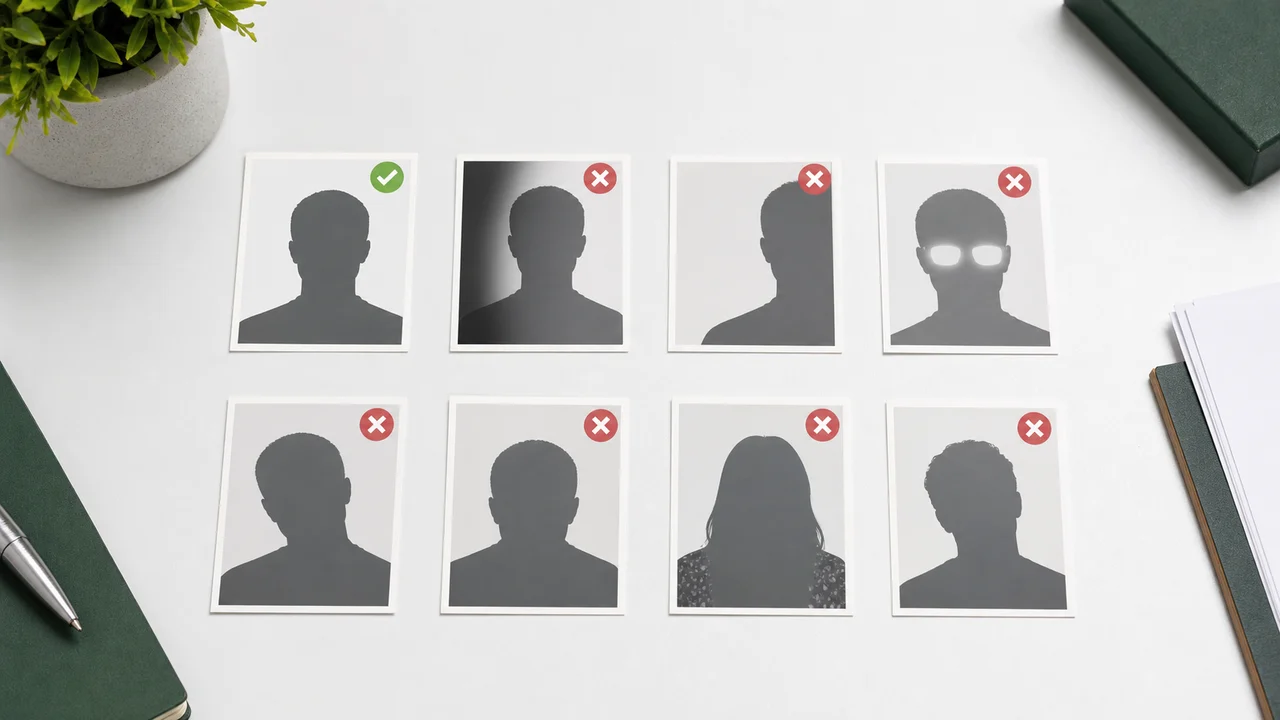
- Wrong listed width and height or file size is the most common technical issue.
- Background shadows and non-white walls are easy to miss.
- spectacles are not specified on the current official page, glare, hair over the eyes, and face tilt can make the photo unsuitable.
- Over-editing can change identity details and should be avoided.
Technical mistakes
The photo may look fine on screen but still fail because the file is not file format not stated on the current official page, not 200 × 200 (unit not stated on the current official page), or not within 5 KB–100 KB.
Screenshots, messaging-app copies, and social media downloads often change file size or quality. Export a fresh file from the original photo instead.
Visual mistakes
A good Saudi eVisa photo should show one applicant, front-facing, with eyes open and a clear face outline. Remove spectacles are not specified on the current official page and avoid colored contact lenses.
Check the background carefully. A shadow behind the head, a colored wall, a border, or a busy pattern can make an otherwise correct file unsuitable.
Final checklist
- file format not stated on the current official page, 200 × 200 (unit not stated on the current official page), 5 KB–100 KB.
- Plain white background with no shadow.
- Face fills about 70–80% of the face or 1.4 × 1.6 in from chin to crown (wording and denominator are ambiguous).
- spectacles are not specified on the current official page, glare, red-eye, mask, or heavy retouching.
- Photo taken within the last 6 months.
How to use source information
Use the Saudi eVisa photo specification as the baseline for 200 × 200 (unit not stated on the current official page) file format not stated on the current official page photos. For Hajj/Nusuk or route-specific upload screens, confirm the latest requirement in the portal before submitting.
shoumei.org is an independent photo preparation tool. It is not a visa application service and does not guarantee acceptance or approval.
How Saudi Visa & Umrah Photo helps
Exports the face photo at the required square pixel size.
Optimizes JPEG size for upload instead of leaving you to trial-and-error compression.
Cropping, face-position checks, and export happen on the device.
Always compare the final file with the current portal instructions before upload.
FAQ
Can I use a photo with spectacles are not specified on the current official page if my eyes are visible?
The Saudi eVisa photo specification says spectacles are not specified on the current official page. Remove spectacles are not specified on the current official page before taking the photo.
Is background removal safe?
It can help when used carefully, but artifacts around hair or shoulders can make the photo look edited. A real white background is safer.
What should I check first before upload?
Check file format not stated on the current official page, 200 × 200 (unit not stated on the current official page), and 5 KB–100 KB first. Then inspect background, face position, spectacles are not specified on the current official page, shadows, and overall sharpness.
Source pages
- Visit Saudi - Saudi eVisa photo specifications Checked: 2026-09-03
shoumei.org is an independent photo preparation tool. It is not a visa application service and does not guarantee acceptance or approval.
All Saudi visa photo guides
Create a 200x200 Saudi visa photo on iPhone Download on the App Store