Canada visa photo guides
Canada visa digital vs print photo
Digital upload files and printed photos are checked differently. The same face photo can fail if it is scaled, compressed, or printed incorrectly.
Checked: 2026-06-30
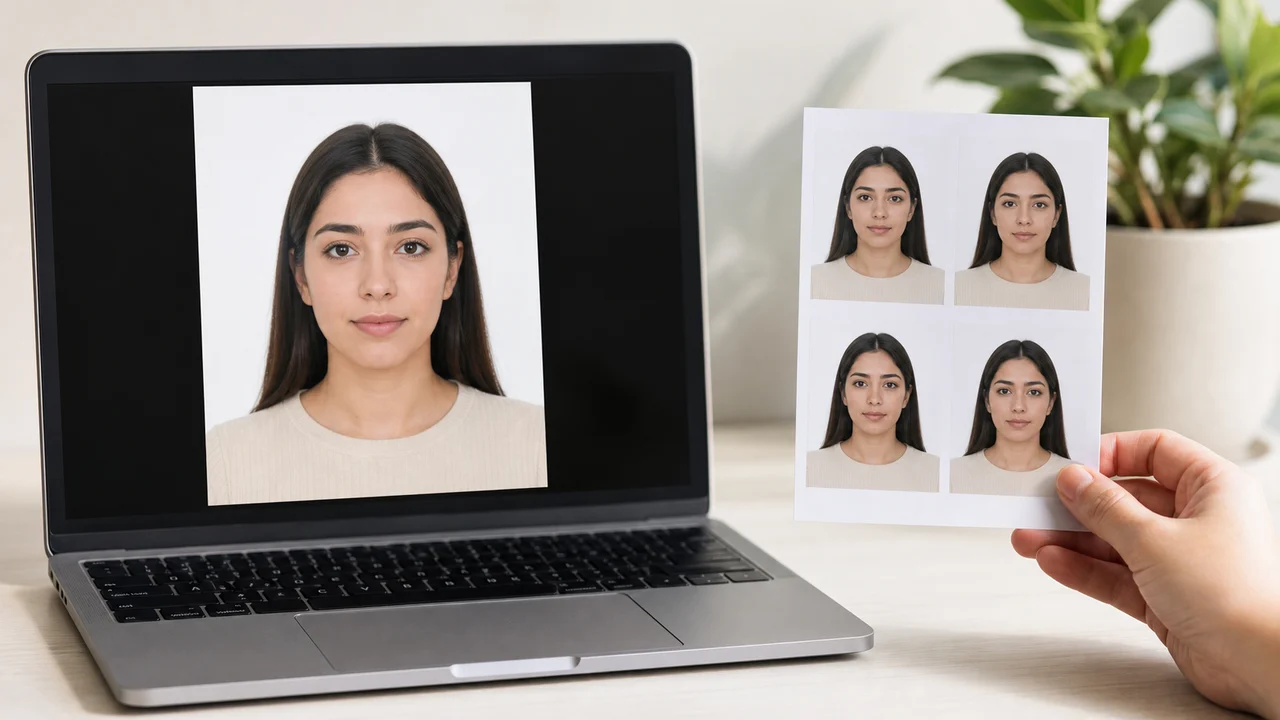
Requirement snapshot
- Digital: pixel dimensions, resolution (300 dpi), file size, format
- Print: actual millimetres and 35 x 45 mm frame
- Keep separate digital and print outputs
- Do not let auto-fit change the scale
Digital upload file vs printed photo
A digital upload file and a printed photo are checked differently even when they come from the same face image. The digital file is checked for pixel dimensions, resolution, file size, and format, while the printed photo is checked for actual millimetres, paper output, and scaling.
- Digital: mind pixel dimensions, resolution (IRCC references at least 300 dpi), file size, and format.
- Print: mind actual millimetres, the 35 x 45 mm frame, and face height 31 to 36 mm.
- Keep a clean digital file and a separate print layout; do not assume one works for both.
Checks that differ between file and paper
Online portals often preview the face position and may reject files that are too large, too small, or compressed. Printed photos can be silently resized by a kiosk, which is why measuring the printed millimetres matters.
Save the digital version at the size your portal asks for, and print the paper version at actual size (100%). Check both before submitting, and do not let an automatic fit change the scale.
Official sources
This guide summarizes the IRCC visa application photograph specification and uses the PR card and passport pages only to show where the 50 x 70 mm rules differ.
This website and app are independent tools and are not affiliated with the Government of Canada, IRCC, an embassy, a visa office, or any application centre. Photo preparation does not guarantee acceptance, approval, or visa issuance.
Common Canada Photo Rejection Reasons
Even minor deviations can cause IRCC to reject your photo, delaying your application. Avoid these frequent errors:
-
Sunglasses or Tinted Glasses
Sunglasses and tinted glasses are strictly prohibited. Non-tinted prescription glasses may be acceptable if eyes are clearly visible with no glare and the frame does not cover the eyes. If in doubt, remove glasses.
-
Incorrect Face Size (Head Height)
The face height must be between 31mm and 36mm. If you crop the photo too close or zoom out too far, the photo will be rejected.
-
Shadows on Face or Background
Ensure lighting is front-facing and even. Shadows on the background wall or on the side of the face are a common cause of rejection.
-
Smiling or Showing Teeth
IRCC requires a strict neutral expression. Smiling, raising eyebrows, or showing teeth will result in photo rejection.
Why Use the Canada Visa Photo App?
Accurate Alignment Guides
The on-screen overlay helps you match the 35×45mm proportions, assisting in verifying the required 31–36mm face height.
Designed for Visa & Permits
Directly output the required dimensions for Canada visitor visas, Study Permits, and Work Permits.
Secure Device Processing
All image processing occurs locally on your iPhone. Your personal photos are never uploaded to a remote server.
Pre-save Preview
Review face position, margins, and background before paying, so you can verify compliance with specifications in advance.
Please note: This app helps prepare photo files for online upload. It is not affiliated with IRCC, and it does not submit applications. For paper-based applications like PR cards, an official photographer's stamp on the back is mandatory. The app's outputs do not replace this requirement. Check the latest rules at Canada.ca.
FAQ
What should I check differently for digital and print?
For digital files, check pixel dimensions, resolution (at least 300 dpi), file size, and format. For print, check actual millimetres, the 35 x 45 mm frame, and face height 31 to 36 mm.
Can I upload the same file I print?
Often no. Online portals may want specific pixel dimensions and file size, while print needs actual-size output. Keep a clean digital file and a separate print layout.
Why did the kiosk change my photo size?
Many kiosks auto-fit images to the paper, which changes the scale. Print at actual size (100%) and measure the result before submitting.
Official sources
- IRCC - Visa application photograph specifications (PDF) Checked: 2026-06-30
- IRCC - Permanent resident photos Checked: 2026-06-30
This website and app are independent tools and are not affiliated with the Government of Canada, IRCC, an embassy, a visa office, or any application centre. Photo preparation does not guarantee acceptance, approval, or visa issuance.
Create your photo in the browser
Prepare the photo for Canada IEC Work Permit directly in your smartphone or computer browser. Creating and reviewing are free.
What this tool creates
- the required face photo (for digital upload)
Save both digital and print versions carefullyDownload on the App Store