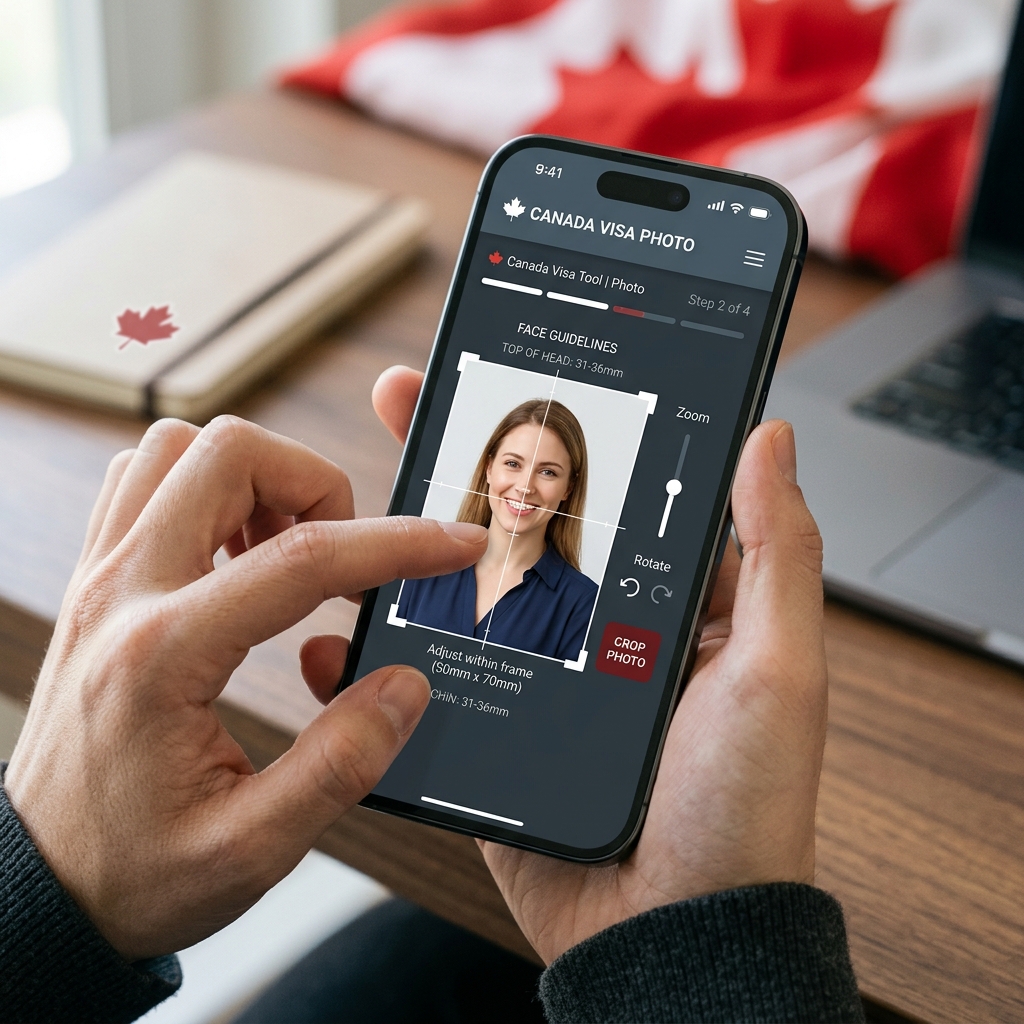
Quick answer
- Visitor Visas, Study Permits, and Work Permits use 35×45mm photos (7:9 ratio). These digital photo files can be prepared using this app.
- PR Cards and citizenship (paper) require 50×70mm photos (5:7 ratio) taken by a commercial photographer with studio stamp/signature on the back. This app's print layouts are for reference only and do not satisfy this requirement.
- Photos must have a plain, evenly lit white or light-colored background with no shadows on the face or background.
- Sunglasses and tinted glasses are not allowed. Non-tinted prescription glasses are acceptable only if eyes are clearly visible, there is no glare, and the frame does not cover the eyes. If in doubt, remove glasses.
- This app helps prepare photo files but does not submit applications and is not an official government service. Double-check official rules before submitting.
What is an IRCC / Canada Visa Photo?
It is the required photo format used by Immigration, Refugees and Citizenship Canada (IRCC) for processing visa and permit applications. It must comply with strict geometry, background, and lighting standards to be accepted.
Official Sources
All guidelines in this guide are gathered from official Government of Canada (Canada.ca) sources and IRCC photo specification sheets. Always refer to the latest guidelines on their portals.
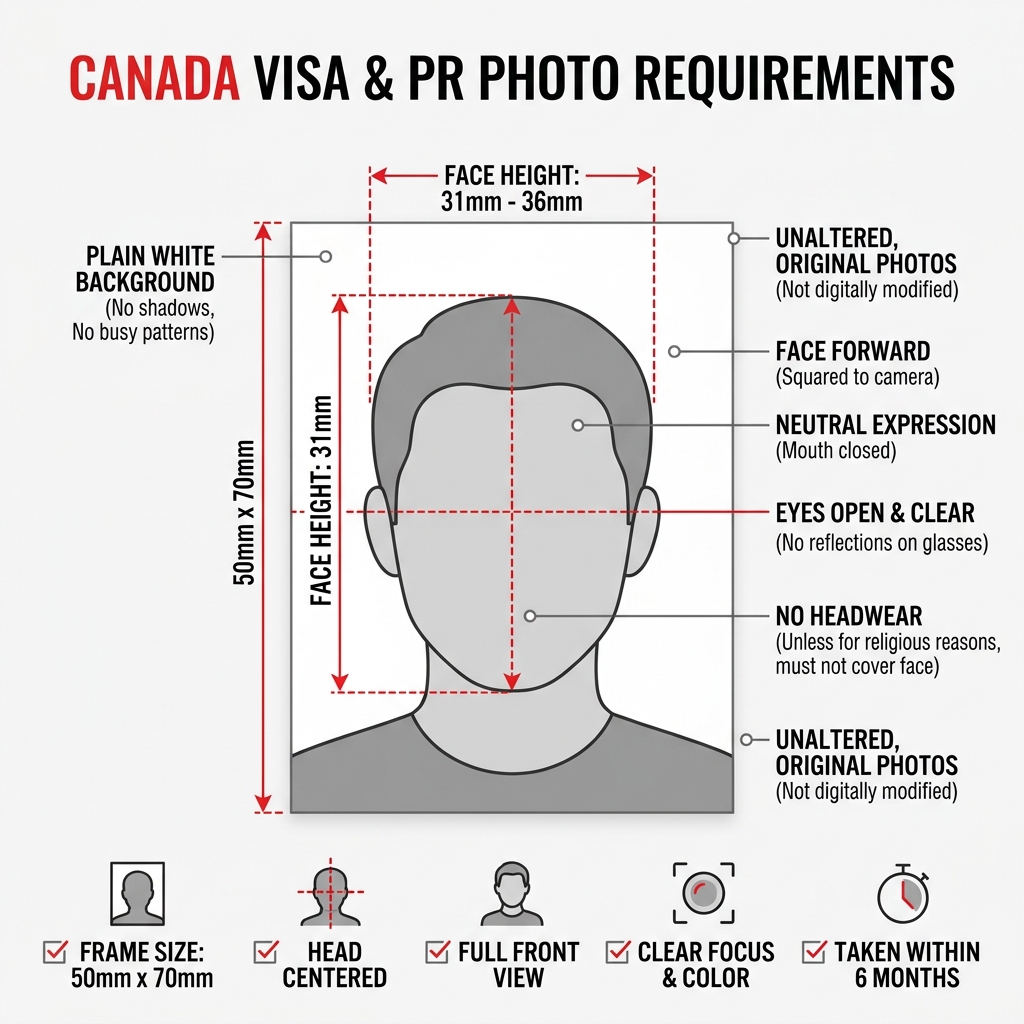
Canada Visa Photo Requirements Summary
The following specifications summarize the main IRCC requirements for visa and permit applications. PR card and citizenship photos have different requirements — please check official guidelines.
| Application Type | Visa / Study Permit / Work Permit (35×45mm, 7:9). PR Card / Citizenship (paper) (50×70mm, 5:7) — different requirements |
|---|---|
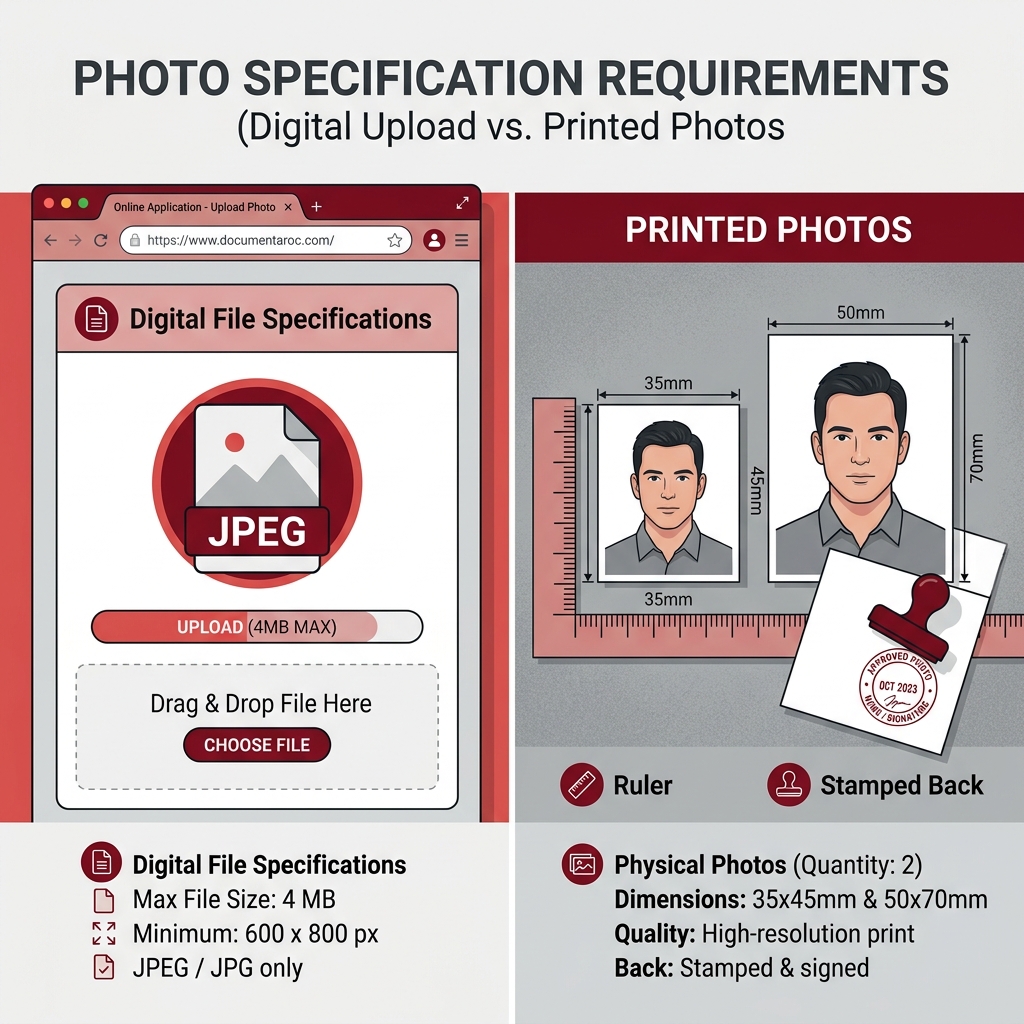
| Digital Upload Size | Min 420×540 px (840×1080 px recommended) |
| Printed Photo Size | 35 × 45 mm (1 3/8" x 1 3/4") |
| Background | Plain white or light-colored background. No shadows, patterns, or gradients |
| Face Position | Centered, fully facing the camera, neutral expression, eyes looking straight ahead |
| Head Size (Face Height) | Between 31 mm and 36 mm (from chin to crown of head) |
| Expression | Neutral expression, mouth closed, no smiling or frowning |
| Glasses | Sunglasses and tinted glasses not allowed. Non-tinted prescription glasses acceptable if eyes clearly visible, no glare, and frame not covering eyes. If in doubt, remove glasses |
| Head Covering | Only for religious or medical reasons, and must not shade or obscure any facial features |
| File Format | JPEG or JPEG2000, sRGB color space, no EXIF data |
| File Size (Digital) | Target ~240 KB (min 60 KB), max 4 MB |
| Photo Date | Taken within the last 6 months |
Canada Visa Photo vs PR Card Photo
Visa/permit applications and PR card/citizenship applications have different photo requirements. Make sure you are using the correct specifications for your application type.
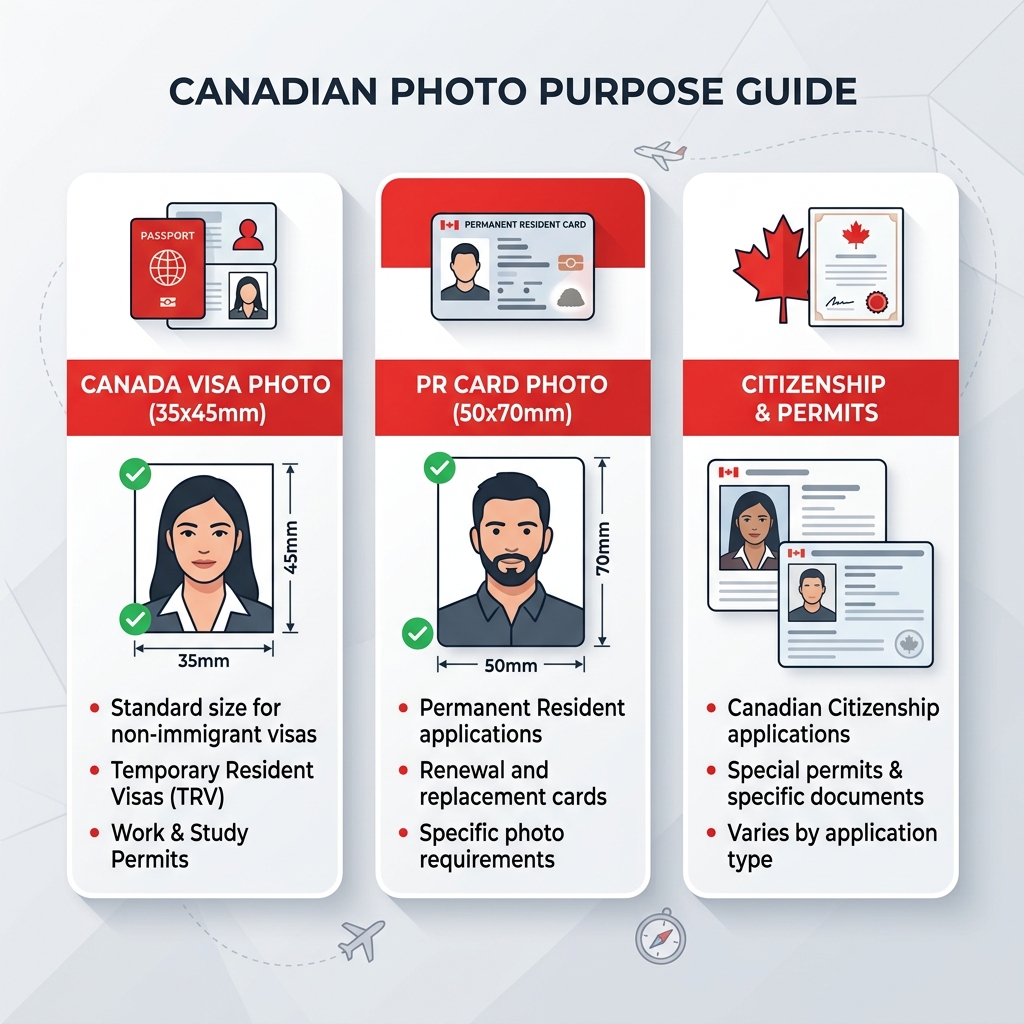
Visa & Permit Application Photo (35×45mm)
Used for Visitor Visas (TRV), Study Permits, and Work Permits. This digital photo can be prepared on your phone using this app.
PR Card & Citizenship (Paper) Photo (50×70mm)
PR cards and paper-based citizenship applications require 50×70mm photos taken by a commercial photographer with their official stamp on the back. This app's 50×70mm layout is for size and composition reference only and does not replace the commercial studio requirement.
How to Prepare Your Canada Visa Photo on iPhone
- 1
Select the Canada Visa photo mode (35×45mm) in the app.
- 2
Stand in front of a plain white or light-colored wall with even lighting. Avoid shadows on your face or the wall.
- 3
Have someone take the photo or use a tripod. Ensure your shoulders are visible and your head is aligned with the on-screen guide.
- 4
Keep a neutral expression (no smiling, mouth closed) and look directly at the camera. If wearing non-tinted prescription glasses, make sure the frame does not cover your eyes and there is no glare on the lenses. If in doubt, remove glasses.
- 5
Verify the photo preview in the app against the official checklists.
- 6
Save the digital photo file for online upload.
Common Canada Photo Rejection Reasons
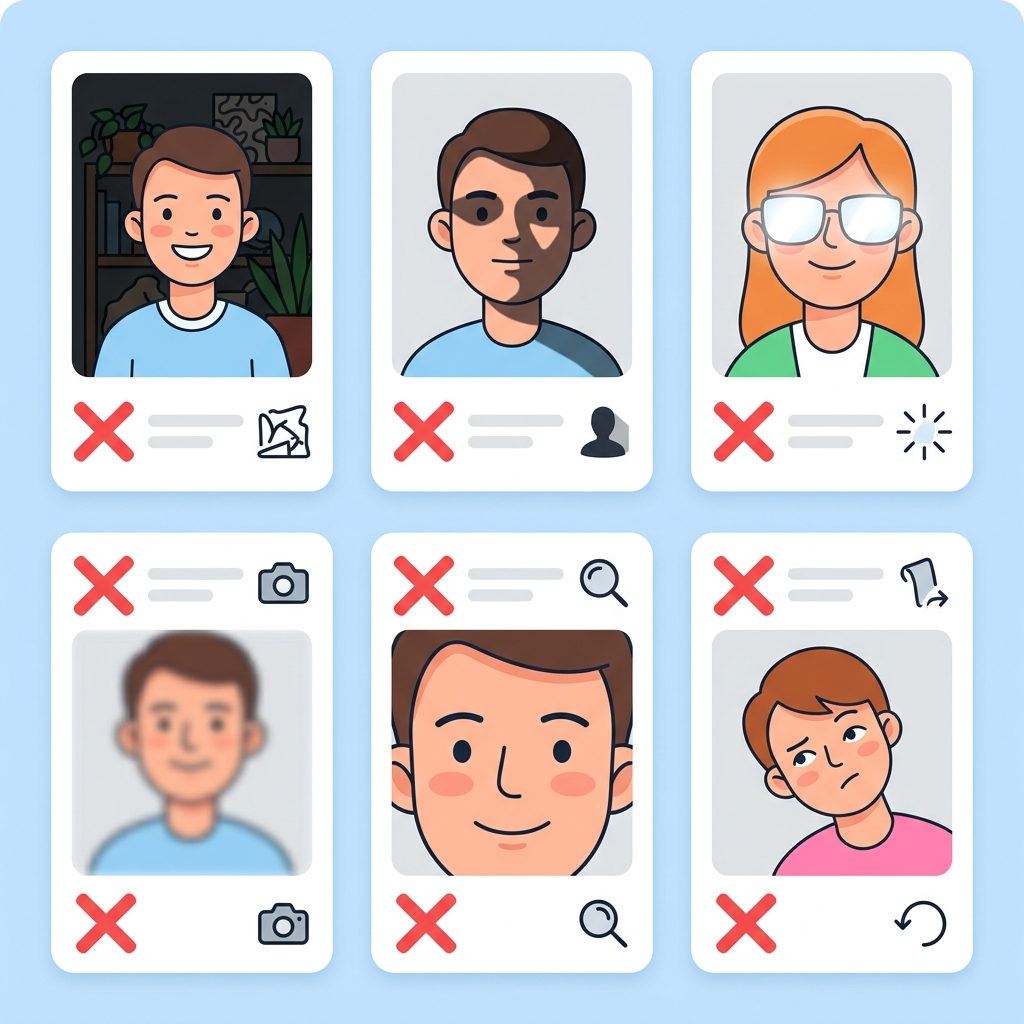
Even minor deviations can cause IRCC to reject your photo, delaying your application. Avoid these frequent errors:
Sunglasses or Tinted Glasses
Sunglasses and tinted glasses are strictly prohibited. Non-tinted prescription glasses may be acceptable if eyes are clearly visible with no glare and the frame does not cover the eyes. If in doubt, remove glasses.
Incorrect Face Size (Head Height)
The face height must be between 31mm and 36mm. If you crop the photo too close or zoom out too far, the photo will be rejected.
Shadows on Face or Background
Ensure lighting is front-facing and even. Shadows on the background wall or on the side of the face are a common cause of rejection.
Smiling or Showing Teeth
IRCC requires a strict neutral expression. Smiling, raising eyebrows, or showing teeth will result in photo rejection.
Non-Plain Background
The background must be completely plain and light-colored. Household wallpaper, doors, or cluttered rooms are not accepted.
Using an Old Photo
Photos must be taken within 6 months of submission. Do not reuse photos from previous visas or passports.
Why Use the Canada Visa Photo App?
✓ Accurate Alignment Guides
The on-screen overlay helps you match the 35×45mm proportions, assisting in verifying the required 31–36mm face height.
✓ Designed for Visa & Permits
Directly output the required dimensions for Canada visitor visas, Study Permits, and Work Permits.
✓ Secure Device Processing
All image processing occurs locally on your iPhone. Your personal photos are never uploaded to a remote server.
✓ Pre-save Preview
Review face position, margins, and background before paying, so you can verify compliance with specifications in advance.
Please note: This app helps prepare photo files for online upload. It is not affiliated with IRCC, and it does not submit applications. For paper-based applications like PR cards, an official photographer's stamp on the back is mandatory. The app's outputs do not replace this requirement. Check the latest rules at Canada.ca.
Frequently Asked Questions
What are the Canada visa photo requirements?
Canada visa photos must be 35×45mm, taken within 6 months, against a plain white/light background. Neutral expression required. Sunglasses and tinted glasses are not allowed. Non-tinted prescription glasses are acceptable only if eyes are clearly visible, there is no glare, and the frame does not cover the eyes.
What size should a Canada visa photo be?
The physical size is 35mm wide by 45mm high. For digital uploads, a minimum of 420×540 pixels is required (840×1080 pixels is highly recommended).
Are Canada visa photo and PR card photo requirements the same?
No. Visa, Study Permit, and Work Permit photos are 35×45mm. PR card and citizenship (paper) photos are 50×70mm and require a commercial photographer with studio stamp on the back. This app focuses on 35×45mm visa/permit photos.
What are Canada PR card photo requirements?
PR card photos must be 50×70mm with a white background and neutral expression. For paper applications, the back must be signed and stamped by a commercial photographer. Since this app is not a commercial studio, its 50×70mm layout is for size reference only and cannot be used for paper-based PR card submissions.
Can I take a Canada visa photo with my phone?
Yes, you can take it with your phone if you follow all rules like a plain white background, even lighting, and correct proportions. This app helps align your photo to match these specifications.
Do I need a white background for a Canada visa photo?
Yes. The background must be plain white or a very light-colored plain background. Dark backgrounds, gradients, shadows, or patterns will lead to rejection.
Can I wear glasses in a Canada application photo?
Sunglasses and tinted glasses are not allowed. Non-tinted prescription glasses are acceptable only if your eyes are clearly visible, there is no glare on the lenses, and the frame does not cover your eyes. If in doubt, remove your glasses before taking the photo.
What are common reasons a Canada photo may be rejected?
Common rejection reasons include sunglasses or tinted glasses, glasses frames covering eyes, lens glare making eyes invisible, incorrect face size, background shadows, smiling, or poor lighting.
Does this app submit my Canada visa application?
No. This app is a tool to help you prepare the photo file. You must submit your photos and applications yourself through the official IRCC portal.
Is this an official Government of Canada or IRCC app?
No. This app is not affiliated with the Government of Canada or IRCC. It is an independent utility tool.
Should I check official requirements before submitting?
Yes. Always check the official Government of Canada (Canada.ca) website for the latest and most accurate photo requirements before you submit your application.
Prepare your Canada Visa Photo on your iPhone
Get the correct 35×45mm size for visas and study/work permits. Align your face with the guide and export your photo safely.
Download Canada Visa Photo