Photo Guide
How to take a Brazil visa photo with a smartphone
A practical smartphone workflow for a plain background, face-height camera, comfortable distance, even light, and a careful final review.
Checked: 2026-08-20
At a glance
- Prepare a plain white background and even light before opening the camera.
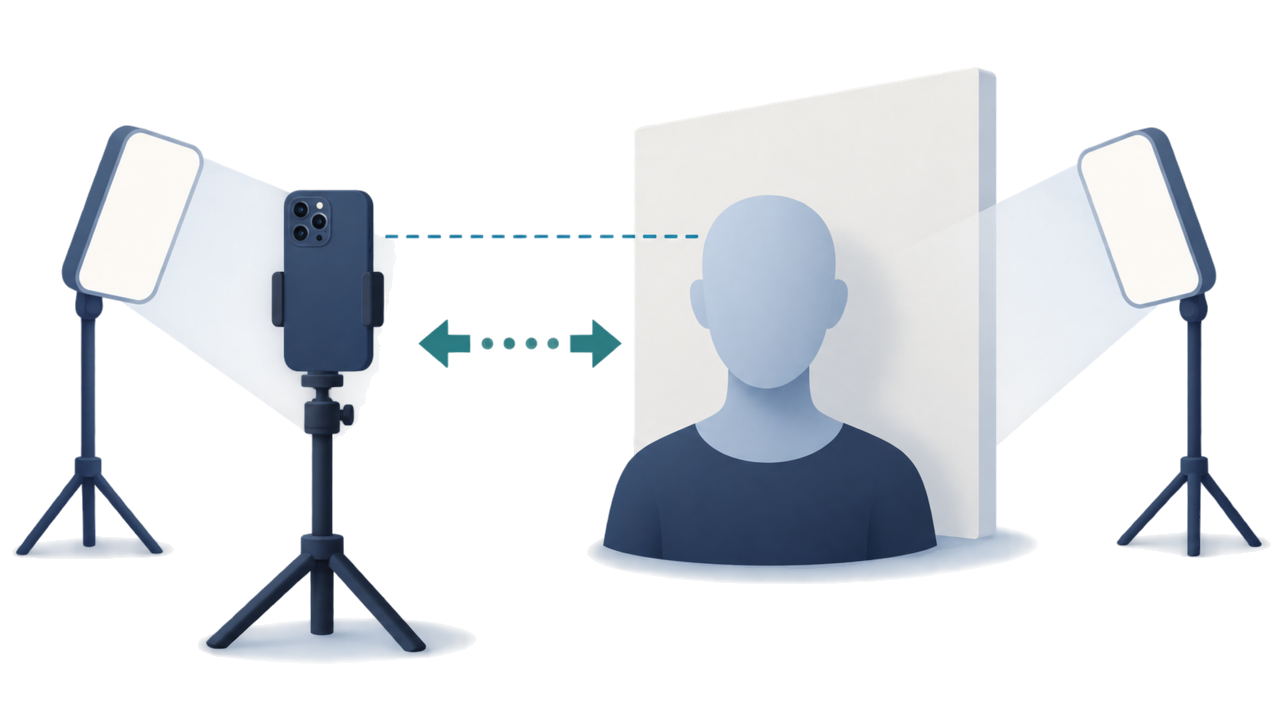
- Keep the camera around face height, leave comfortable distance from the wall, and avoid a close selfie.
- Take several frames, then choose the clearest one and prepare the output for your route.
-
Prepare the background
Use a plain white wall or backdrop and remove visible objects and strong shadows from the frame.
This is practical shooting advice rather than an official instruction on how to shoot with a smartphone.
-
Set the camera position
Place the camera around the applicant’s face height. Leave enough distance for a natural perspective instead of holding the phone close for a selfie.
- Keep the applicant facing the camera.
- Keep the head and shoulders level.
- Use a helper or a timer when that gives a steadier position.
-
Take several frames
Use even light and take several frames without filters or beauty effects. If glasses cause glare or hair covers the eyes or face outline, adjust and retake.
For the eVisa route, glasses are not allowed or not recommended; remove them if you are unsure. For a printed consular route, follow the actual destination post instruction.
-
Review and prepare the output
Choose a sharp frame, check the background and visible face, then prepare the digital upload or printed output that matches your route.
Create your photo in the browser
Prepare the photo for Brazil e-Visa directly in your smartphone or computer browser. Creating and reviewing are free.
Open the web toolWhat this tool creates
- the required face photo (for digital upload)
- the passport biographical data page (photo page) (for document upload)
Also available as an iPhone appOpen the App Store
FAQ
Is this smartphone method an official Brazil visa instruction?
No. It is practical guidance for making a clearer starting photo. The official system or submission post remains the final reference.
Can I use a close selfie?
A close selfie can change perspective and make framing harder. Use a helper or a timer from a comfortable distance when possible.
What should I do about glasses or hair?
Avoid glare and keep the eyes and face outline visible. For a consular route, follow the destination post instruction rather than assuming one rule applies everywhere.
Official sources
- Brazil eVisa VFS Global - Photo Sample / photo upload specification Checked: 2026-08-20
- Brazil eVisa VFS Global - パスポート情報ページ仕様 Checked: 2026-08-20
- Brazil MRE — Electronic Visitor Visa / eVisa Checked: 2026-08-12
- Consulate General of Brazil in Tokyo - Visa photo Checked: 2026-07